> ## Documentation Index
> Fetch the complete documentation index at: https://docs.exterview.ai/llms.txt
> Use this file to discover all available pages before exploring further.
# How to Give Connected Agents Access to Exterview
> Connect an MCP client (Microsoft 365 Copilot, Claude, ChatGPT) to your Exterview organization with Microsoft sign-in and scoped read or write access. Developer and IT-admin surface.
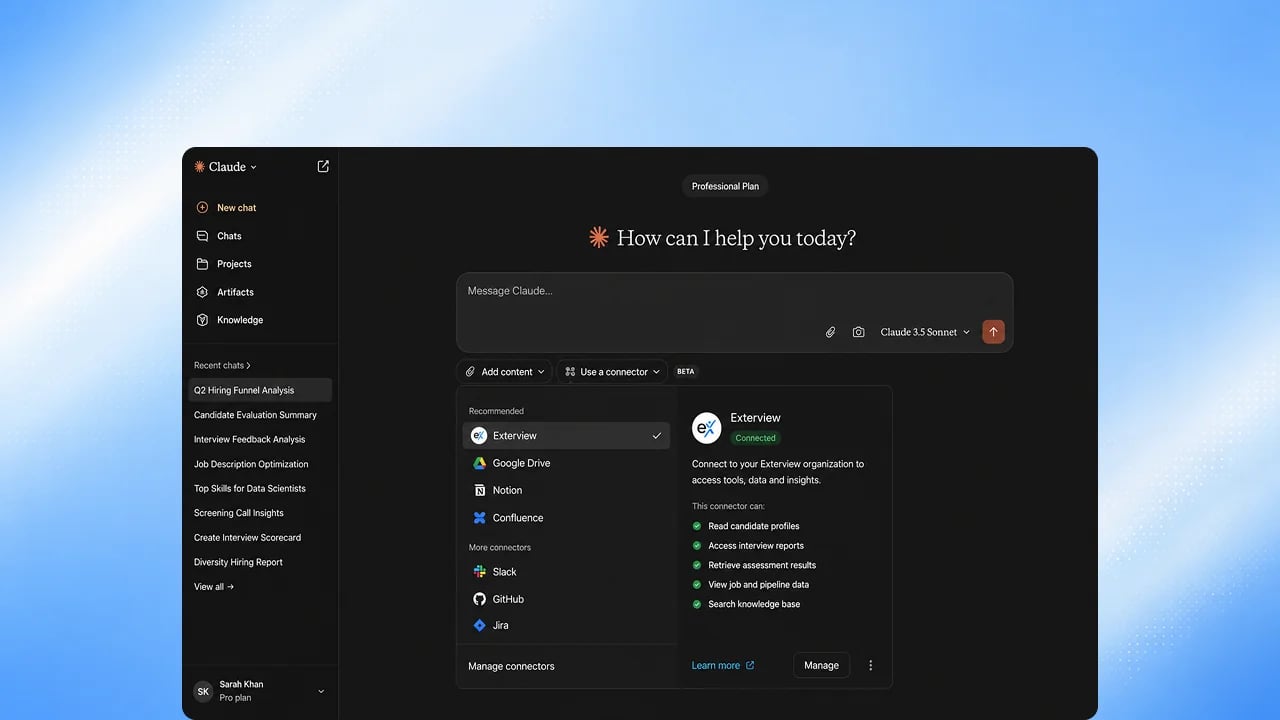
**Core.** The Exterview MCP server lets an MCP client, such as Microsoft 365 Copilot, Claude, or ChatGPT, connect to your Exterview organization, scoped to the access each person grants. It is **Available**.
 ## What the server offers
* **More than 45 tools:** read tools (jobs, candidates, reports, pipelines, leaderboards, funnel metrics, and more) and write tools (such as creating a job, updating a candidate's stage, sending interview invites, and scheduling panel rounds).
* **No delete tools.** Nothing can be deleted through MCP.
* **Confirmation before every write.** Write tools ask the person to confirm, and adverse changes show a preview first.
* **Upcoming: run the role.** Hand a role to Smaya from your client and get back what needs a decision in your [Agent Inbox](/smaya/agent-inbox).
## Steps
Add the Exterview MCP server to your client. Your Exterview representative
gives you the server address.
The client opens an Exterview sign-in with your Microsoft account. Exterview
uses OAuth 2.1, so there is no token to copy.
On the consent screen, grant read access, or read and write. Each client
gets only the access you grant it.
Every tool runs as you, with your role and data visibility. Actions are
recorded with who took them.
## FAQs
Any MCP client that supports OAuth sign-in, including Microsoft 365 Copilot, Claude, and ChatGPT. Upcoming: a read-only Slack integration. See [Integrations](/guides/integrations).
No. No machine path sets hired, rejected, or withdrawn. Those decisions stay with a person.
## What the server offers
* **More than 45 tools:** read tools (jobs, candidates, reports, pipelines, leaderboards, funnel metrics, and more) and write tools (such as creating a job, updating a candidate's stage, sending interview invites, and scheduling panel rounds).
* **No delete tools.** Nothing can be deleted through MCP.
* **Confirmation before every write.** Write tools ask the person to confirm, and adverse changes show a preview first.
* **Upcoming: run the role.** Hand a role to Smaya from your client and get back what needs a decision in your [Agent Inbox](/smaya/agent-inbox).
## Steps
Add the Exterview MCP server to your client. Your Exterview representative
gives you the server address.
The client opens an Exterview sign-in with your Microsoft account. Exterview
uses OAuth 2.1, so there is no token to copy.
On the consent screen, grant read access, or read and write. Each client
gets only the access you grant it.
Every tool runs as you, with your role and data visibility. Actions are
recorded with who took them.
## FAQs
Any MCP client that supports OAuth sign-in, including Microsoft 365 Copilot, Claude, and ChatGPT. Upcoming: a read-only Slack integration. See [Integrations](/guides/integrations).
No. No machine path sets hired, rejected, or withdrawn. Those decisions stay with a person.