


Before you start
You need a configured role with the HR Round enabled and a candidate who has reached the HR round. See Configure and Session Types.Steps
The round runs in Microsoft Teams and is scored from its transcript and recording. The dotted line is Upcoming.1
Enable the HR Round for the role
Turn on the HR Round for the closing stage of the pipeline and set the number of rounds.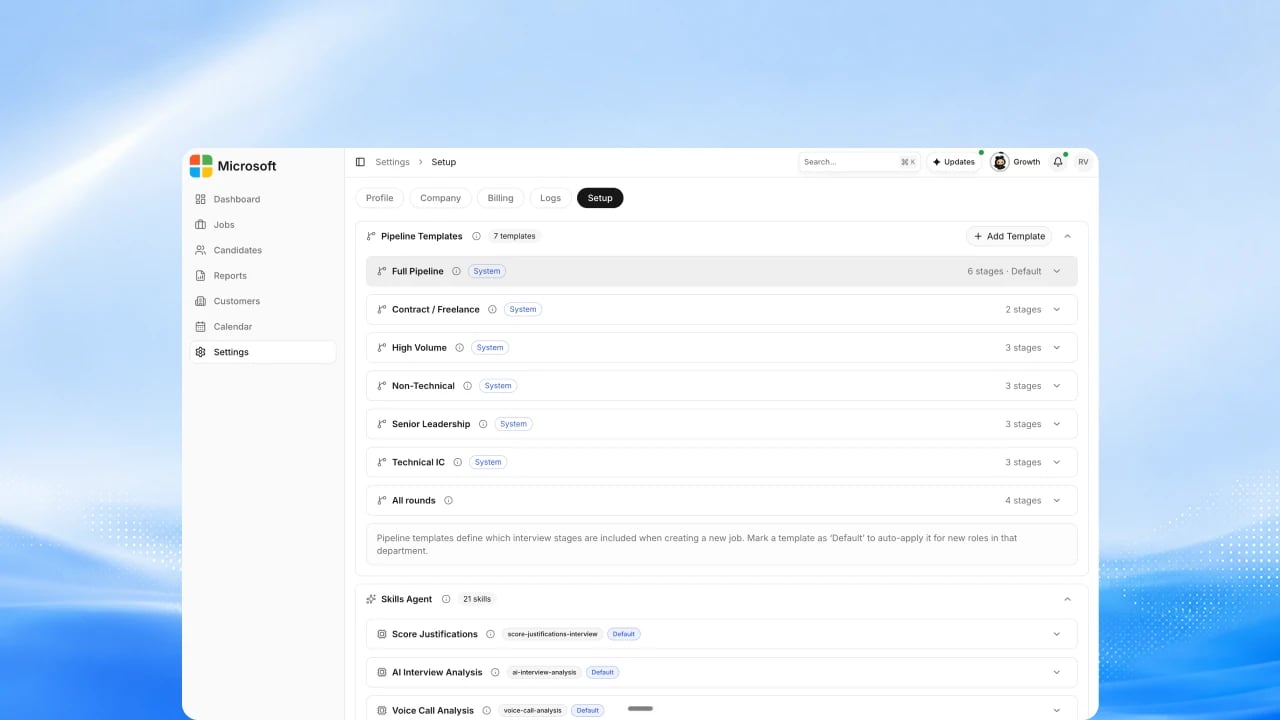
2
Confirm org-fit questions and rubric
Review the organization-fit and behavioral questions and the rubric the round scores against. See How to Set Scoring Weights.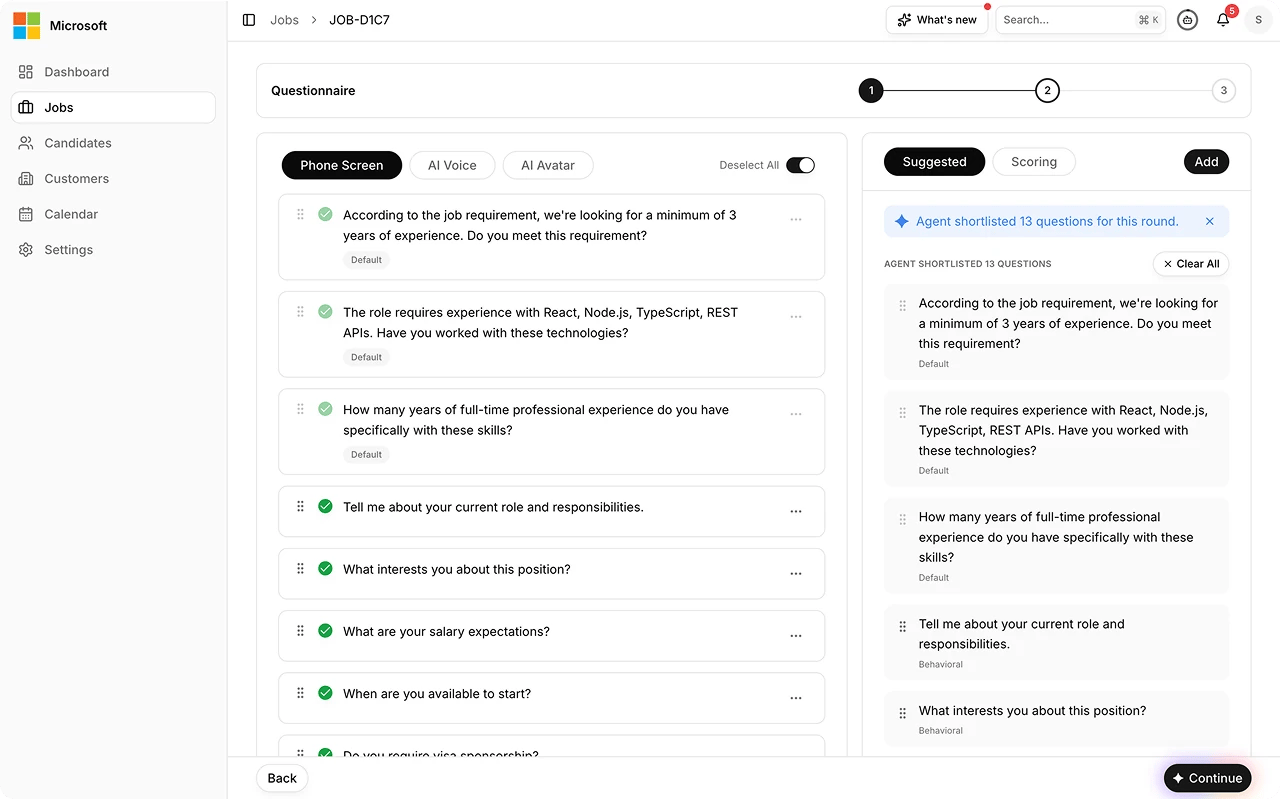
3
Schedule and invite
Schedule the HR round and invite the candidate. See Invite Flows.
4
Run the HR round
The round covers organization fit and closing topics, in Microsoft Teams. The Exterview bot joins the meeting and, when it ends, collects the transcript and recording.
5
Scoring and automated quality checks
The transcript and recording are scored against the job and rubric, and automated quality checks run on the output before it surfaces. See AI Observability.
6
Review the HR AI Report
Open the HR AI Report from the Decision Center, read the score and the org-fit evidence, and check any quality review flags. See Session Reports.
7
Make the decision
A human reviewer makes the closing decision. Every decision change needs a stated reason, and no adverse decision is made autonomously.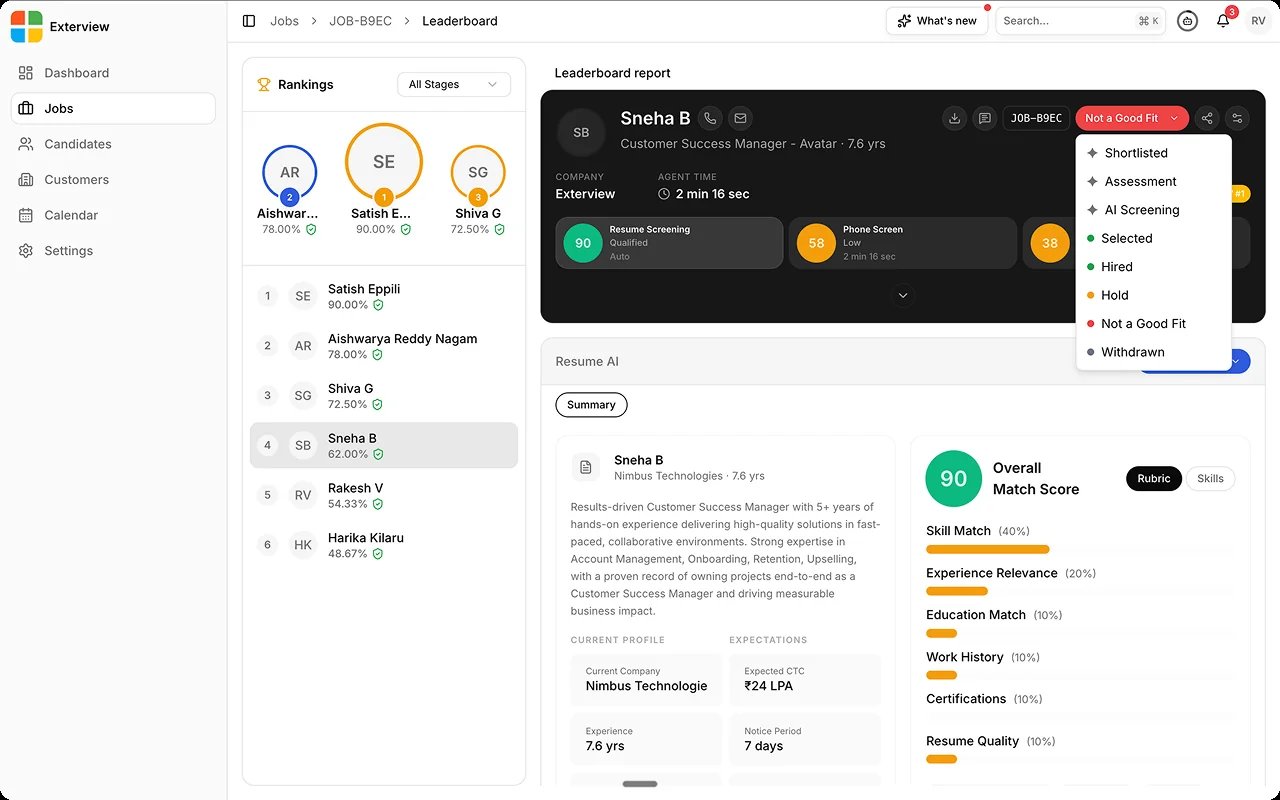
FAQs
What does the HR Round produce?
What does the HR Round produce?
An HR AI Report, reviewed in the Decision Center. The score also feeds the candidate’s Leaderboard rank.
Does the HR Round include offer and join-likelihood signals?
Does the HR Round include offer and join-likelihood signals?
No. The HR Round covers organization fit and closing topics. Upcoming: an offer step and offer and join-likelihood signals. See the Roadmap.
Does a person still decide?
Does a person still decide?
Yes. The report is decision support; a human owns the outcome.
Related
- Session Types. The full agent catalog with availability.
- Panel & HR Rounds. The integrator view for scheduling and reading back.
- Session Reports. What the HR AI Report contains.
- Roadmap. Where offer intelligence fits the broader plan.