Steps
1
Open Job Architecture
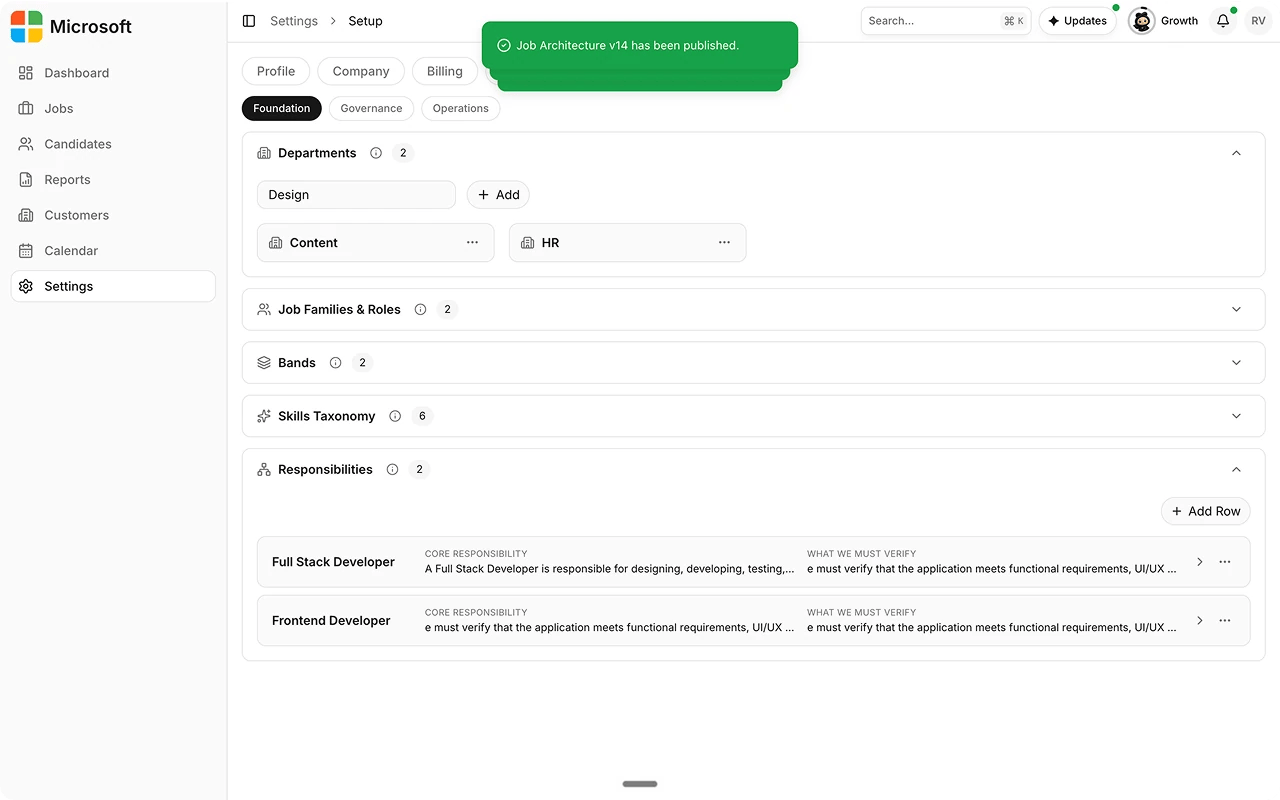
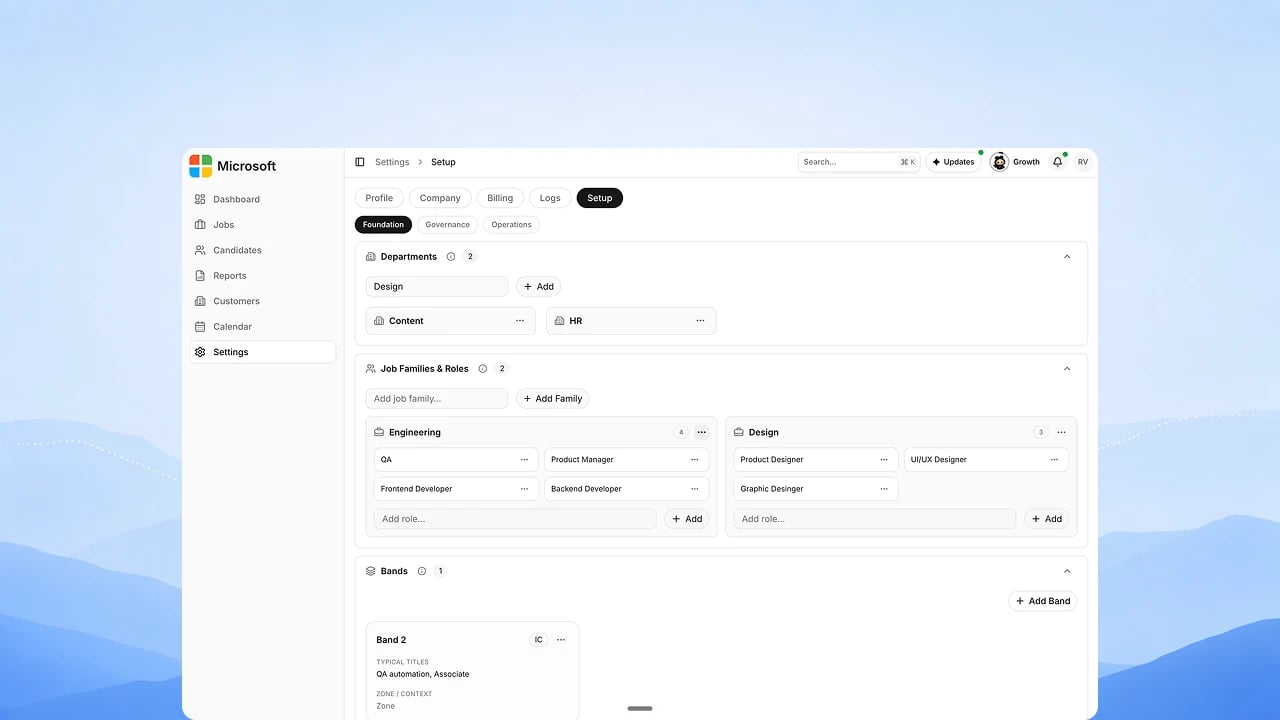
Go to Settings → Setup → Foundation. Job Architecture sits below
Departments, in the Job Families & Roles, Bands, Skills
Taxonomy, and Responsibilities sections. If you don’t see them, ask
your Customer Success contact to turn Job Architecture on for your
account.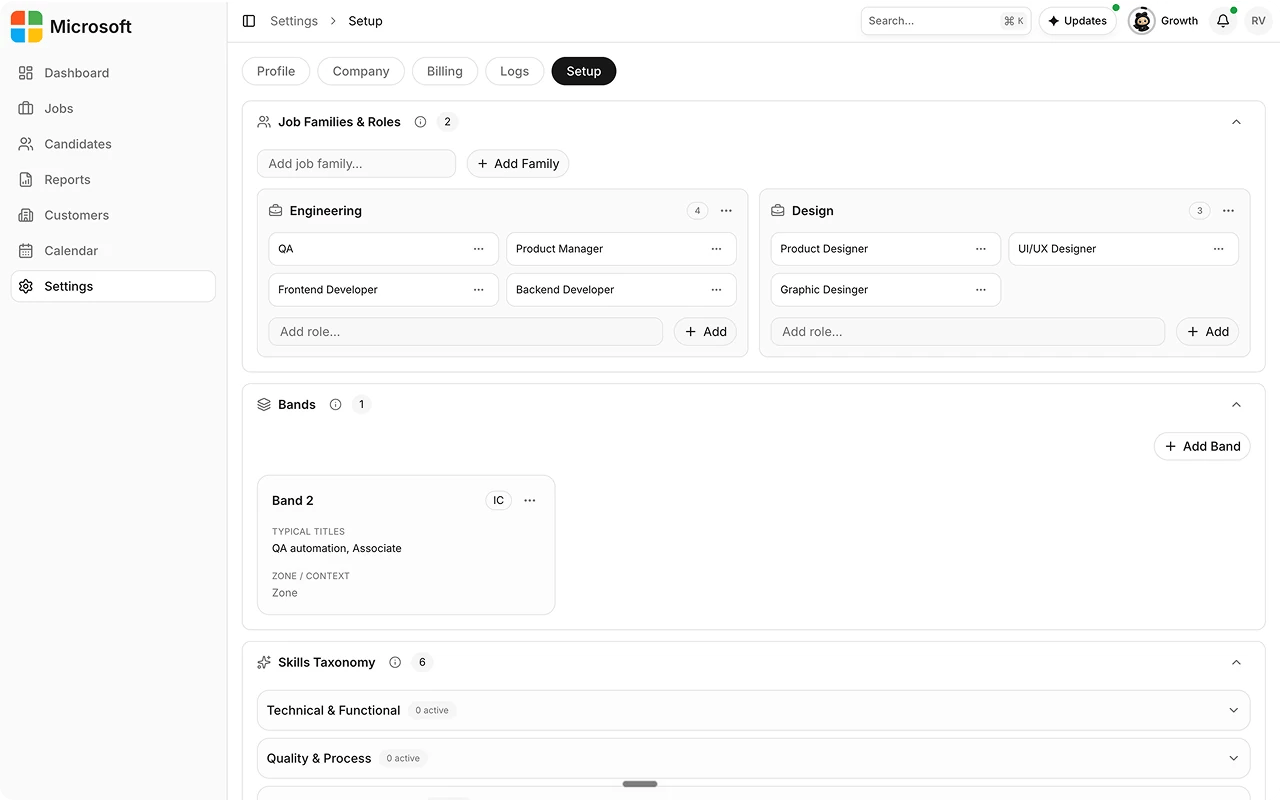
2
Define job families, roles, and bands
Group roles into job families, and give your organization’s
own title to each fixed seniority band, from individual contributor
through leadership.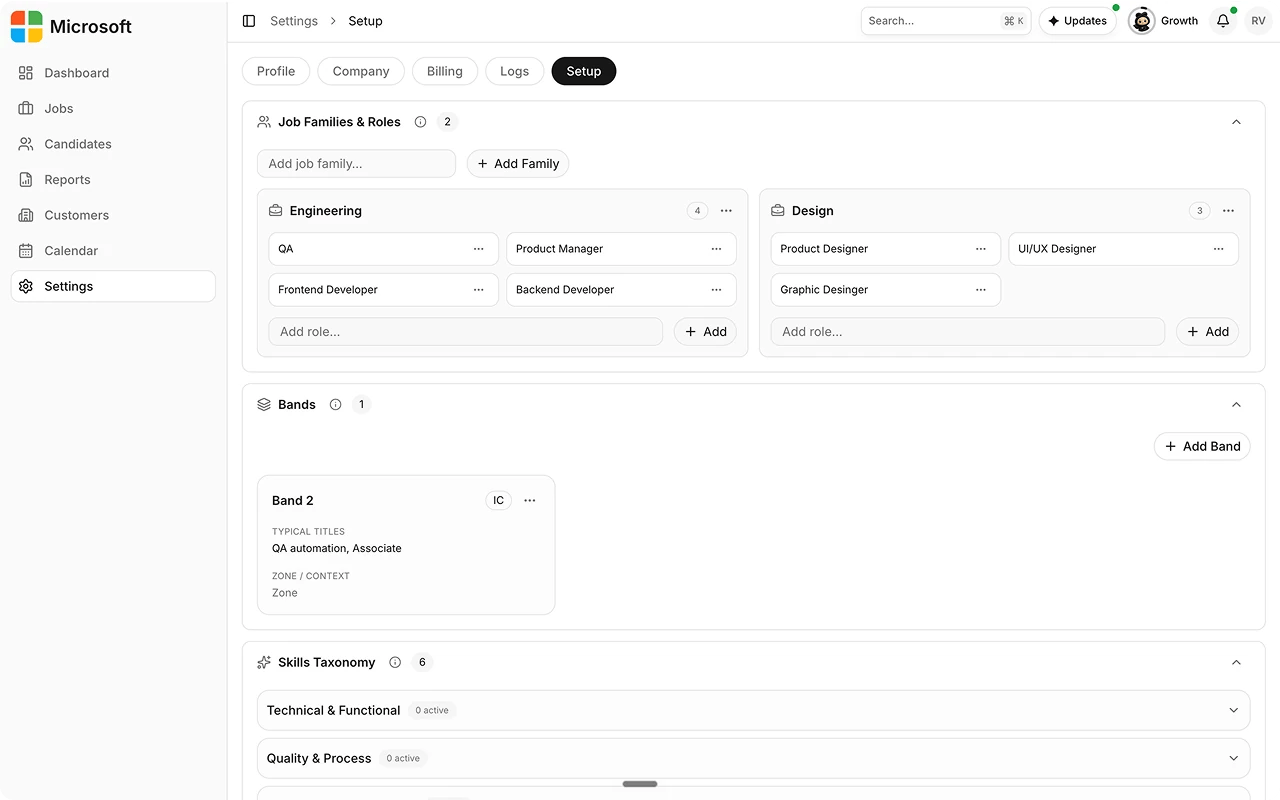
3
Populate skills clusters and responsibilities
Build your skills taxonomy in clusters and set the
responsibilities that distinguish one band from the next. Regulated
organizations can also enable an overlay for compliance-specific
dimensions.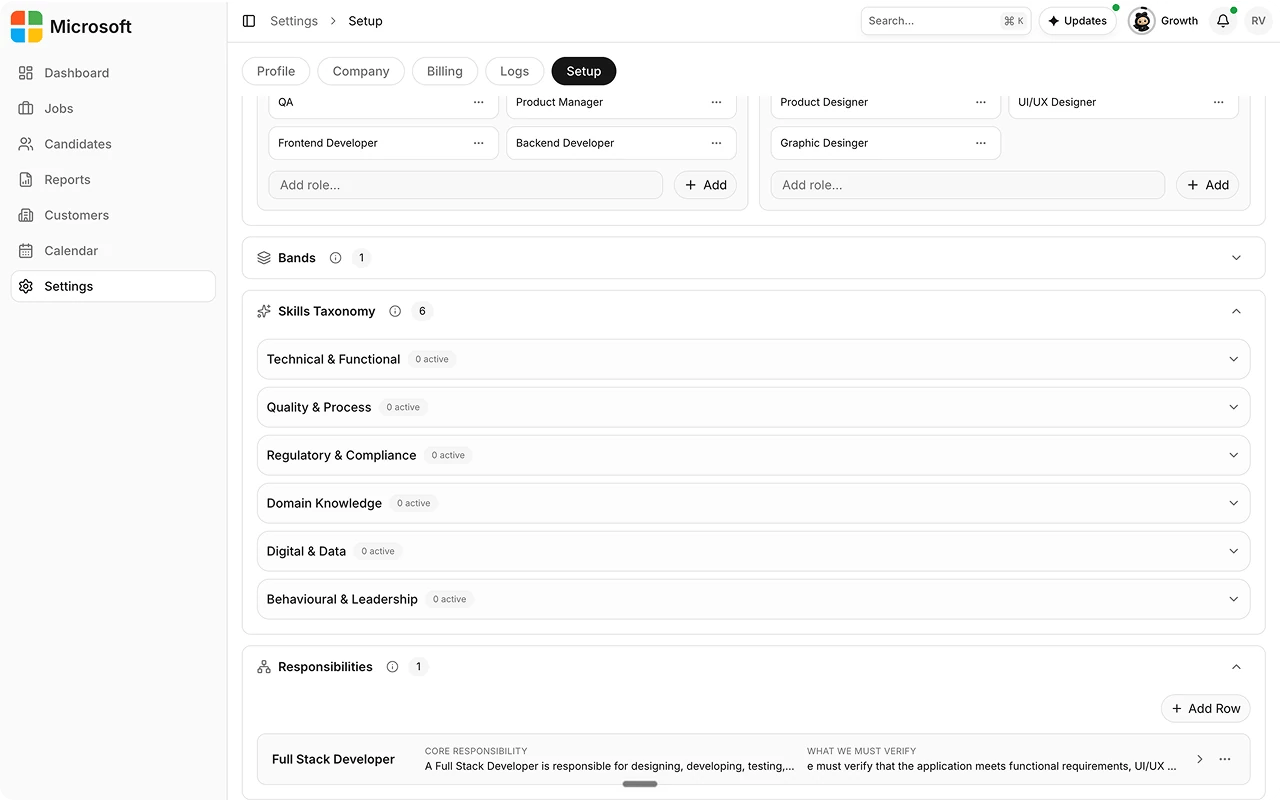
4
Link roles back to the architecture
When you create a job, the Job Architecture panel on Add Job Details
lets you pick the job family, role, band, and regulated overlay, so the
job resolves against this structure.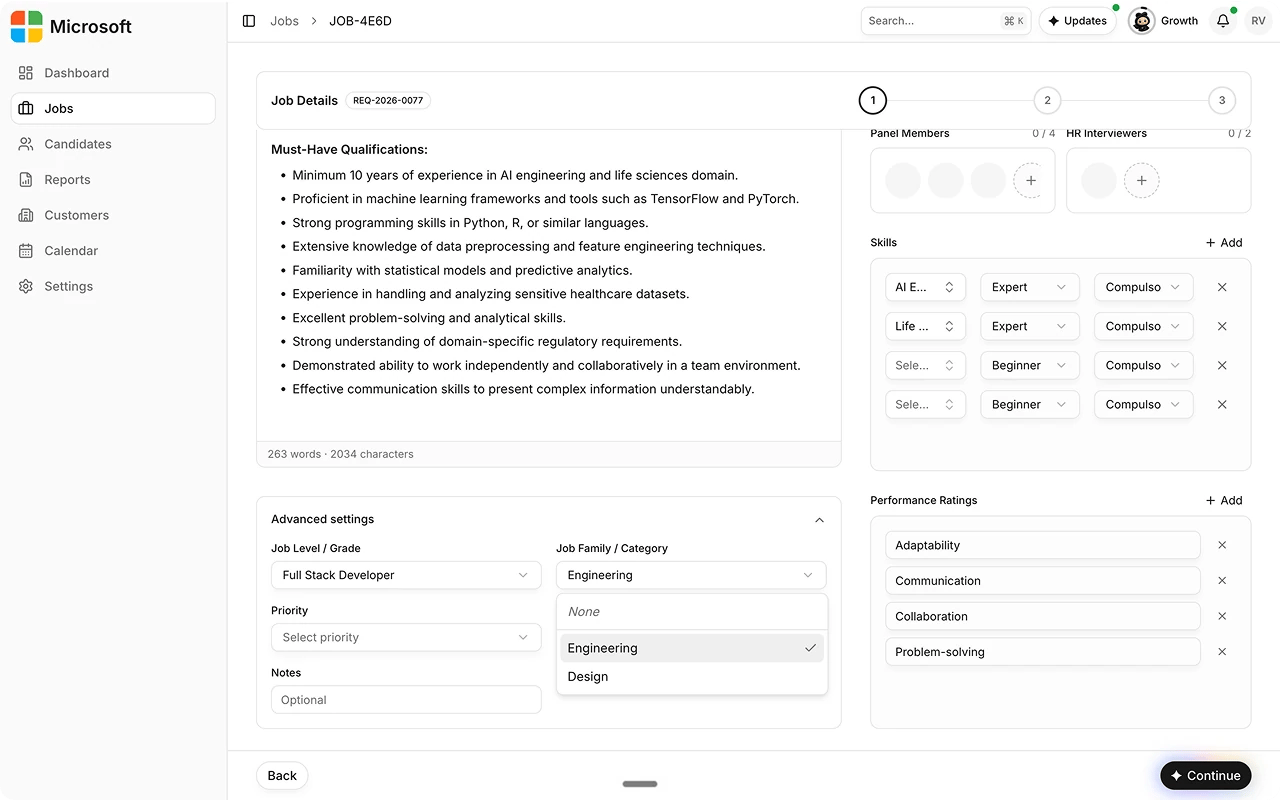
5
Publish and version
Publish the architecture. Editing a published architecture creates a new
version rather than overwriting the old one.