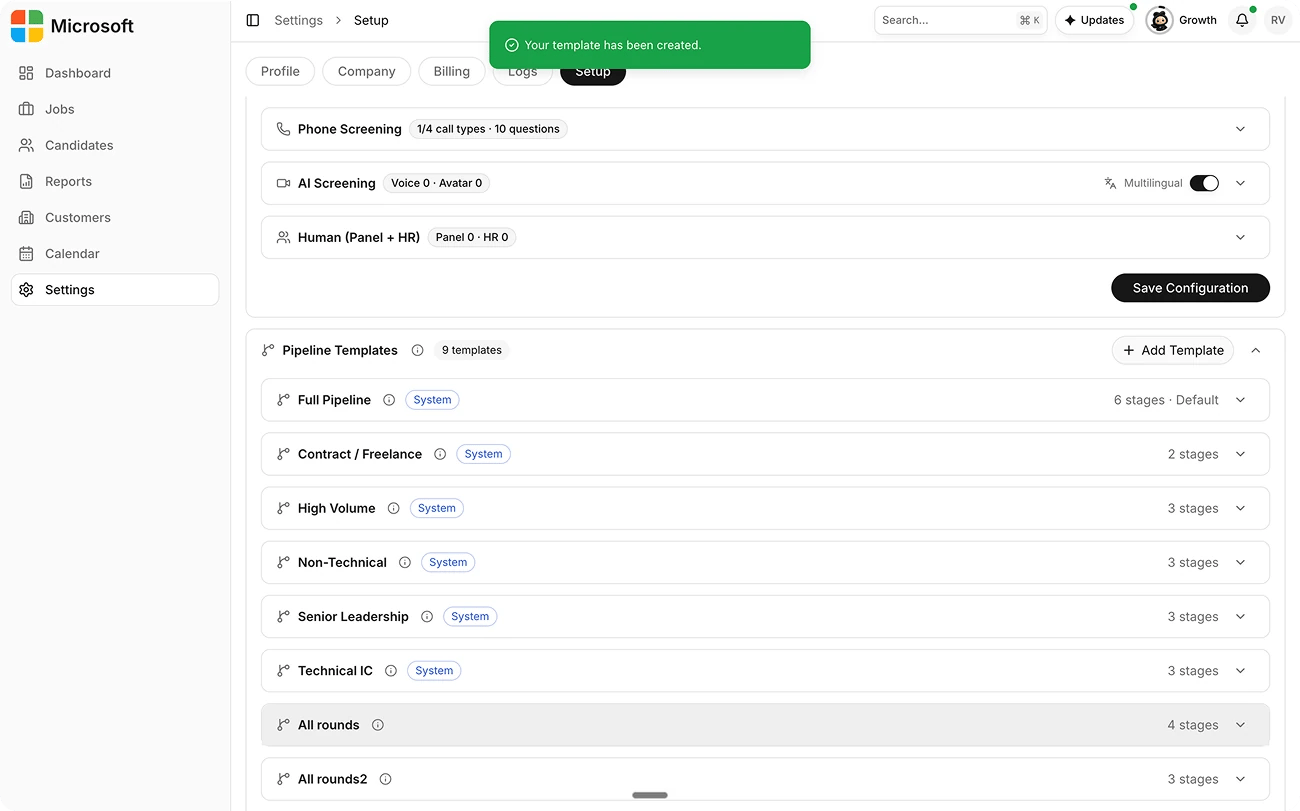
Purpose
A pipeline template is the candidate journey for a department, from resume to hire, and which stages are active.Steps
1
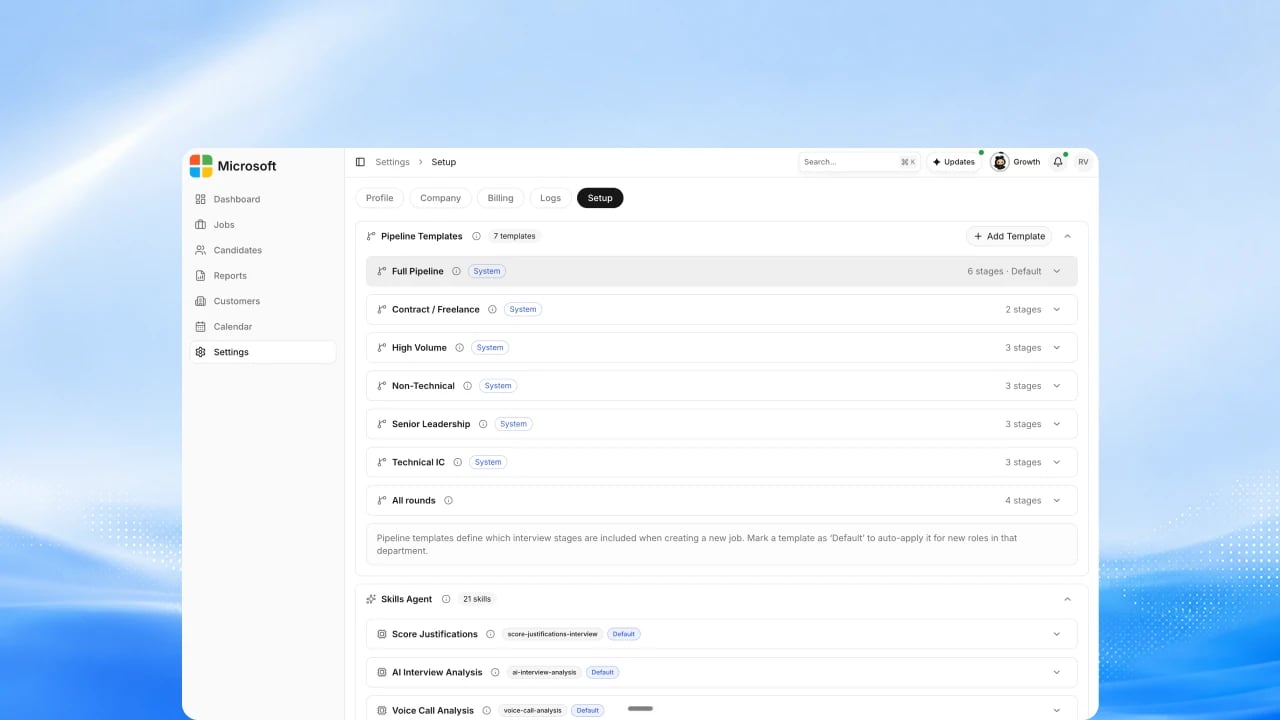
Open Pipeline Templates
Go to Settings → Setup → Operations and find the Pipeline
Templates section to see your organization’s templates, including the
platform default.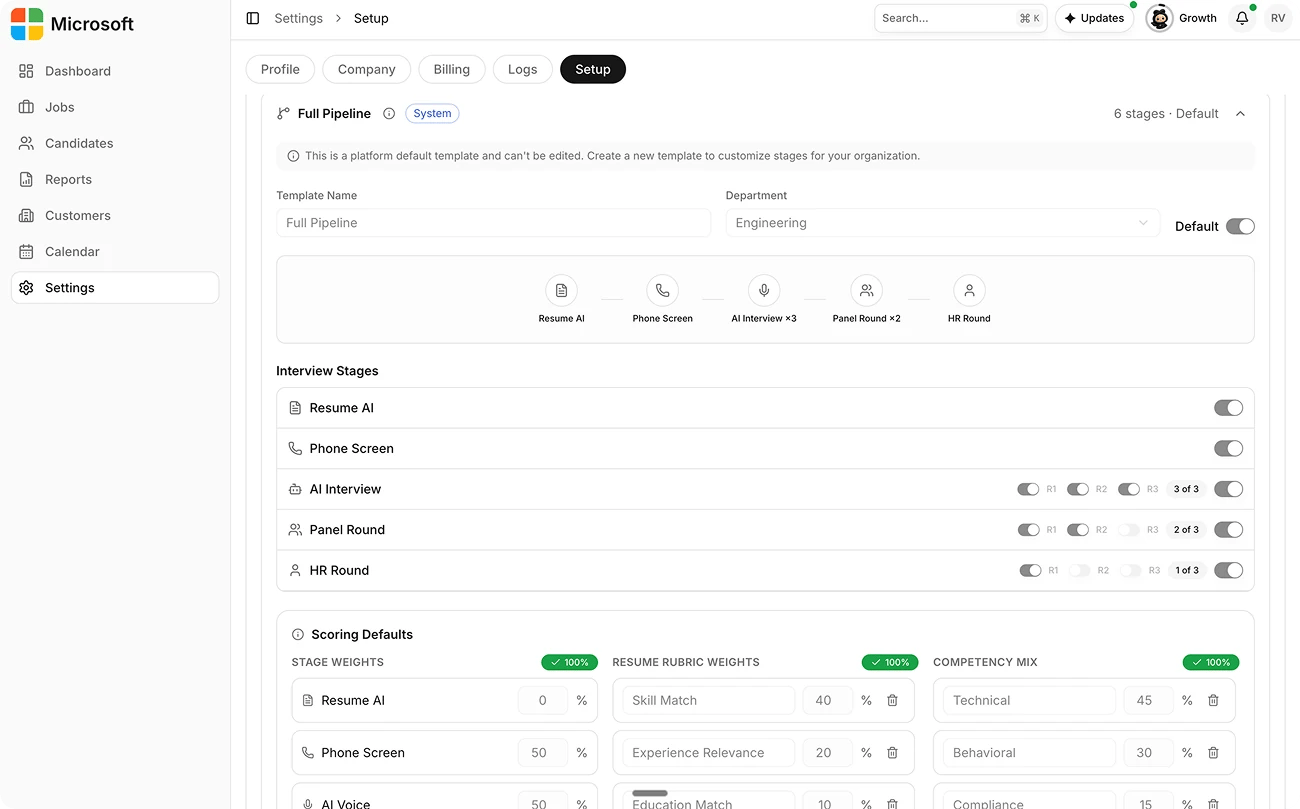
2
Create a template for a department
Add a template, name it, and assign it to a department. Mark it Default so
new roles in that department pick it up automatically.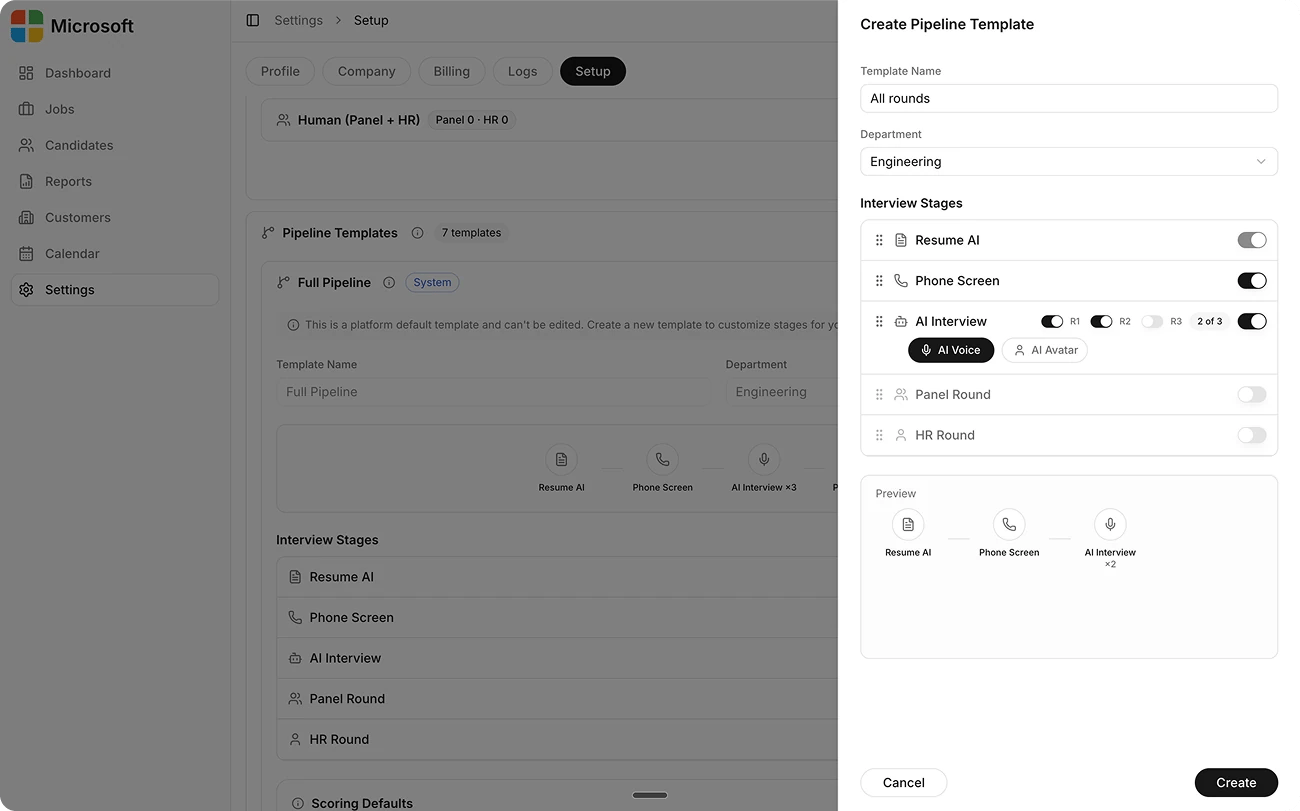
3
Choose your interview stages
Turn stages on or off (Resume AI is always on) and drag to reorder Phone
Screen, AI Voice, and AI Avatar.
4
Set voice and avatar rounds
For the AI Voice and AI Avatar stages, turn on up to three rounds each.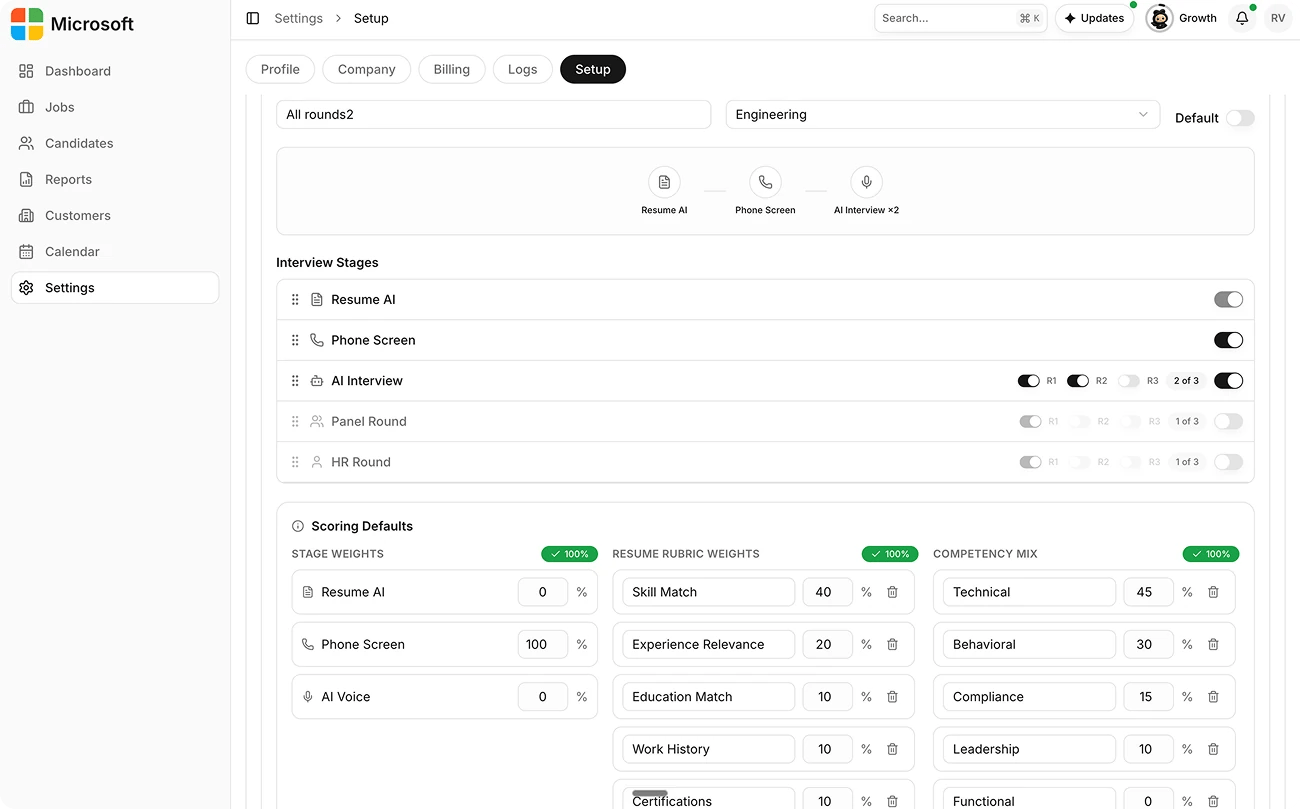
5
Save your template
Save the template, or delete it if you no longer need it. Platform default
templates can’t be edited, create your own to customize stages for your
organization.