

Before you start
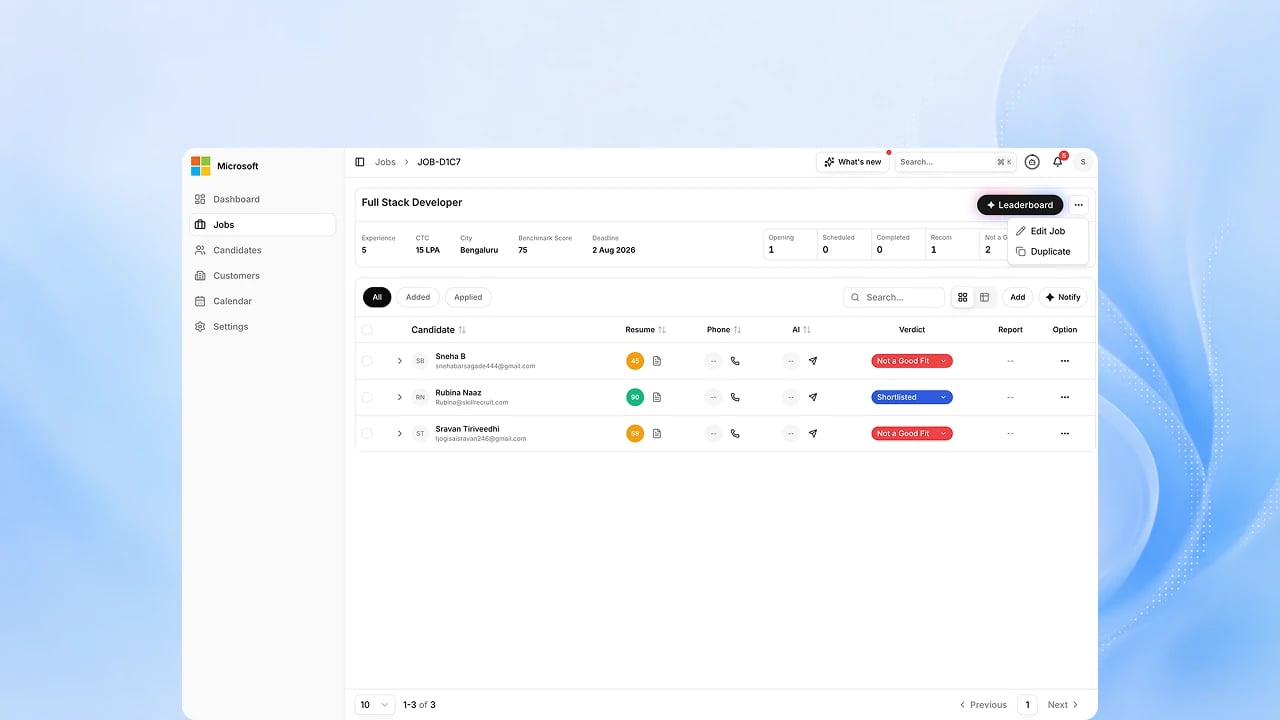
You need a job with candidates added to it. See Build a role with AI.Steps
1
Add candidates to the job
Bulk-upload resumes, or add candidates already in your organization’s
internal pool, from the job’s candidates view.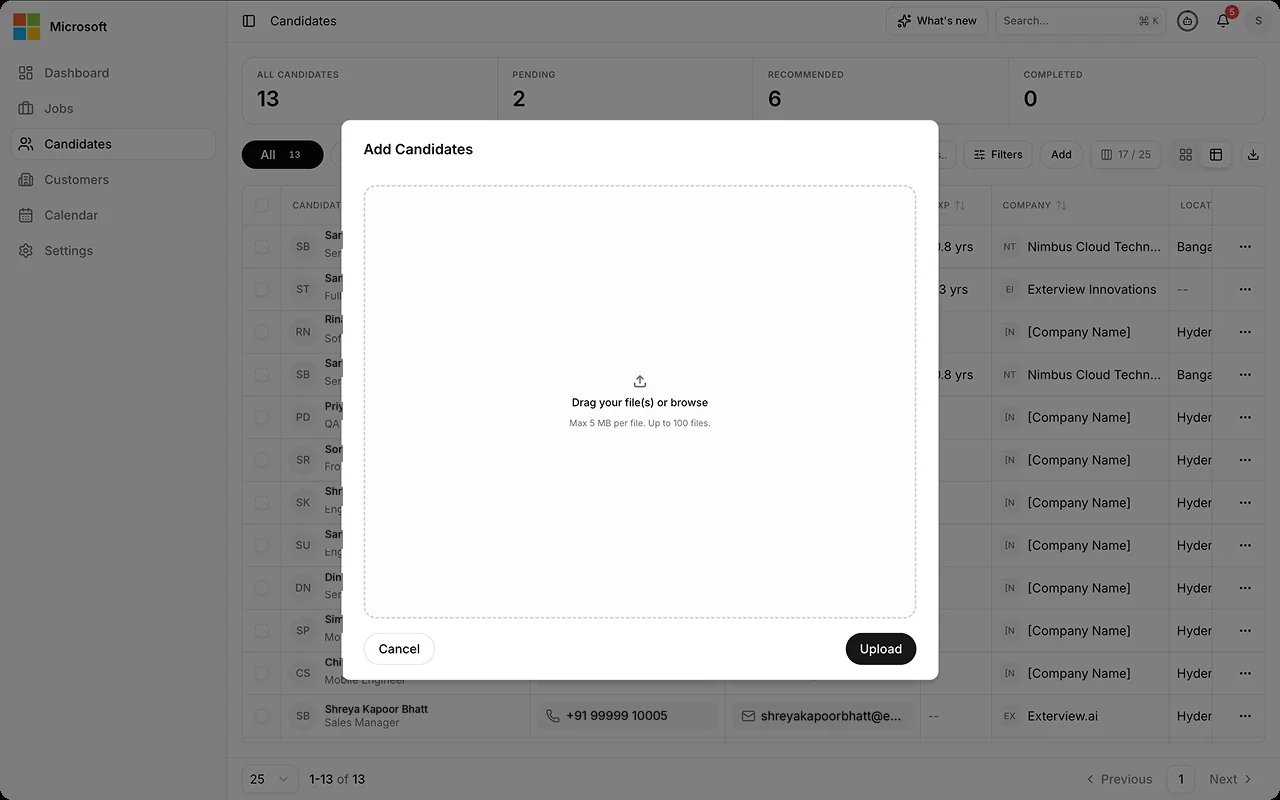
2
See candidates scored against the role
Each candidate’s resume is scored against the role automatically, and
the score appears on their row in the candidates table.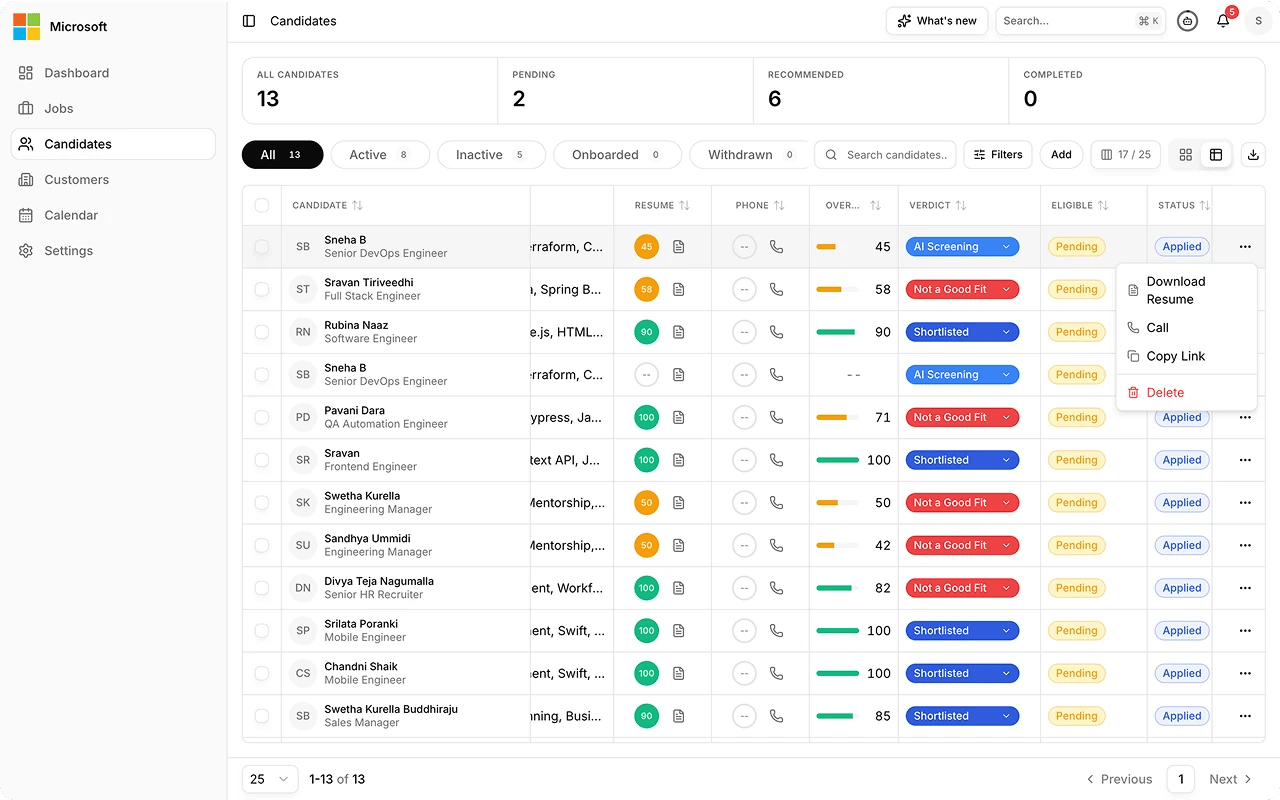
3
Open a candidate's analysis
See the weighted score broken down by dimension, each with an
AI-written explanation. Select Edit score here if you disagree with it.
Your override needs a written justification, and the original score stays
on record.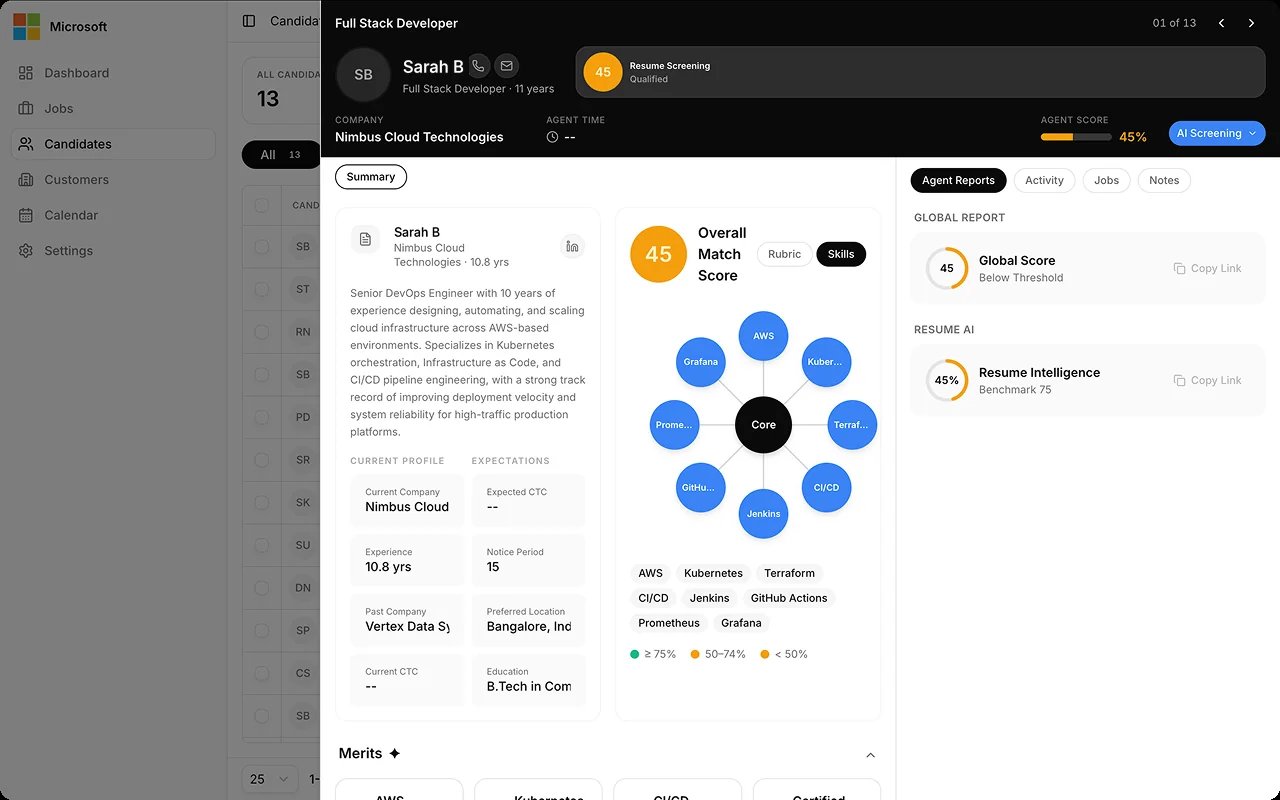
4
Set a verdict
Mark each candidate from the verdict dropdown on their row. The AI
score is a recommendation, not the decision.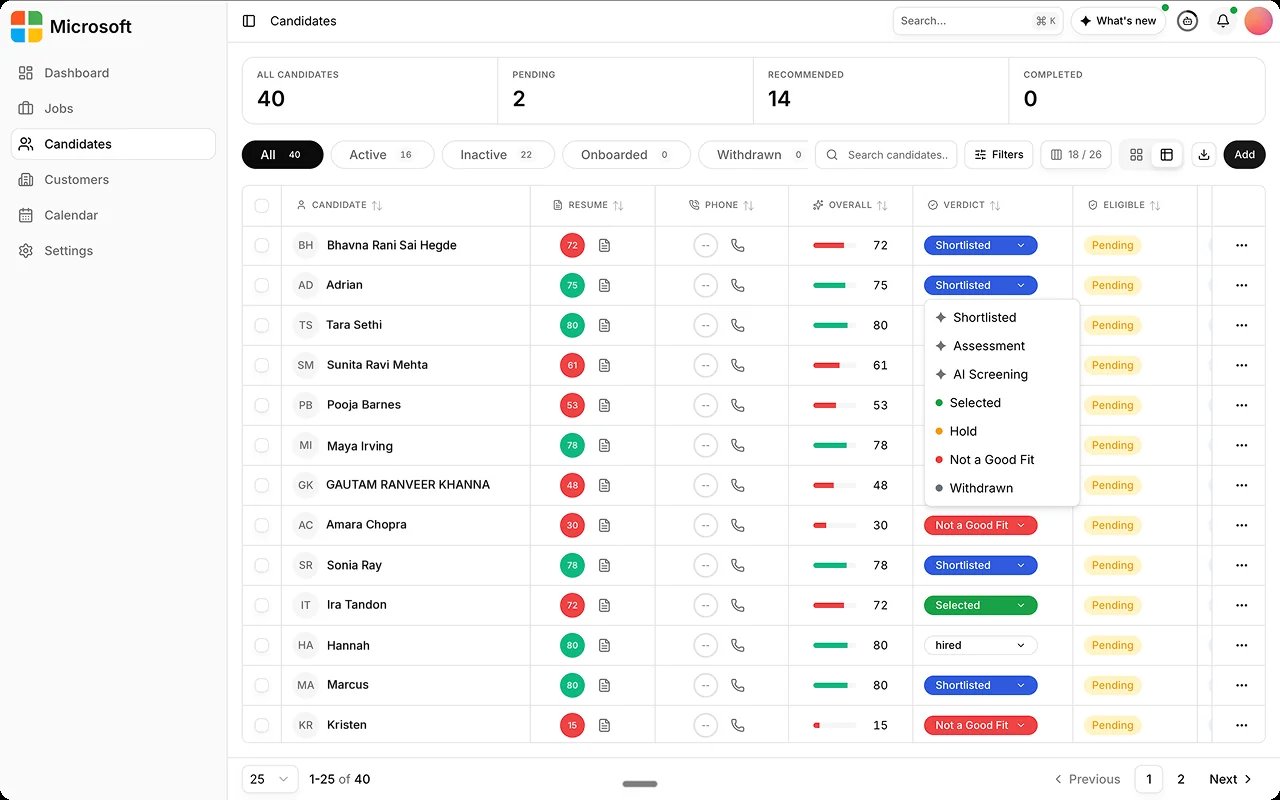
5
Notify candidates into the next round
Invite shortlisted candidates to their phone, AI Voice, or AI Avatar
interview.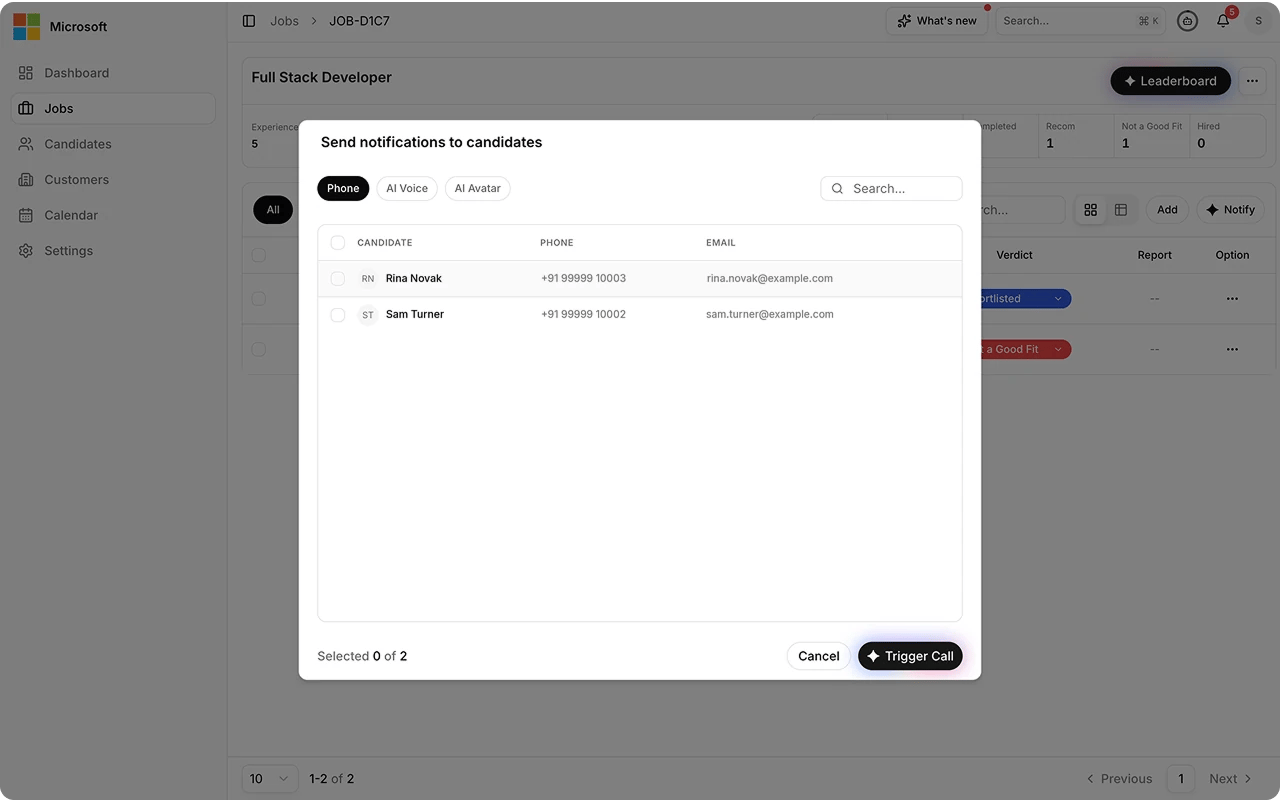
Best practices
Matching ranks candidates against a role. The score is a recommendation, and the verdict stays yours.FAQs
Where do candidates come from?
Where do candidates come from?
Bulk resume upload, your careers page, or your organization’s internal
candidate pool. Importing sourced profiles is Upcoming. See
Profile Import and Shortlisting.
Can I override the AI's score?
Can I override the AI's score?
Yes. Use Edit score from a candidate’s analysis panel and give a reason.
The score is a recommendation; the verdict is always yours to set.