

Before you start
You need an active account and permission to manage jobs (Admin, TA Manager, or Recruiter). See Manage users and roles.Create a job
The Create Job wizard has four steps: Add Job Details, Add Questionnaire, Add Candidates, and Publish & Outreach.1
Open Jobs and start a job
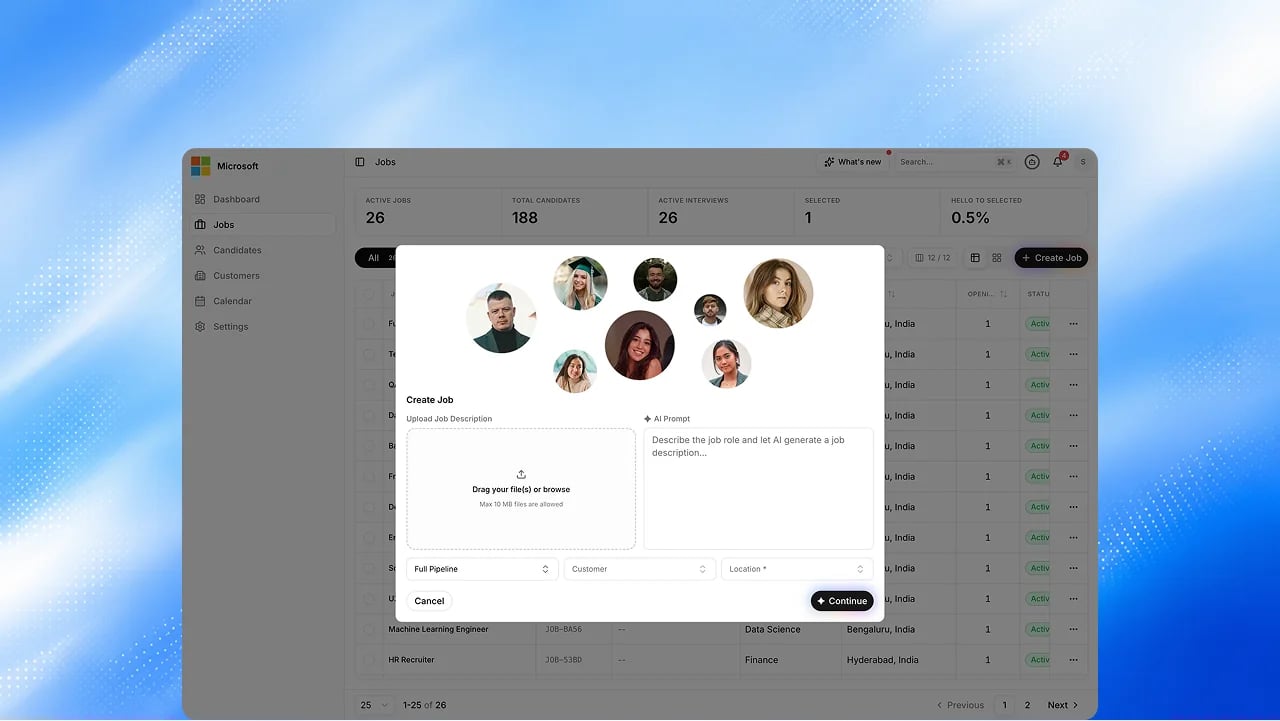
Go to Jobs and select Create. Upload a job description file or describe the role in a prompt, then pick the pipeline and location it belongs to. A live checklist shows which signals the AI has found in your prompt as you type.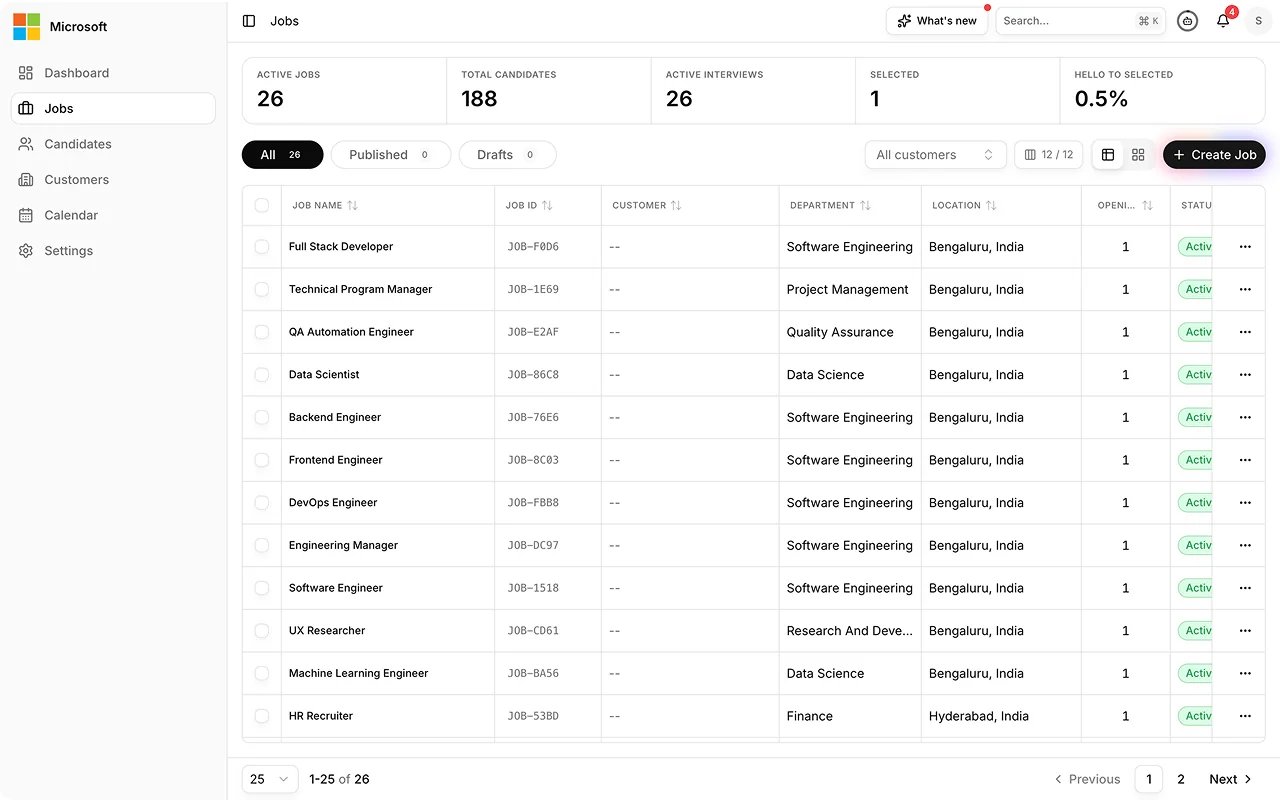
2
Add Job Details
Review the drafted basics: department, employment type, work mode, city, CTC, openings, and skills. Mark each skill Must Have or Nice to Have. The Agent Role tab describes the role the interviewing agent plays for this job and the first message it sends. When you select Continue, Exterview asks you to confirm, then locks the job’s configuration.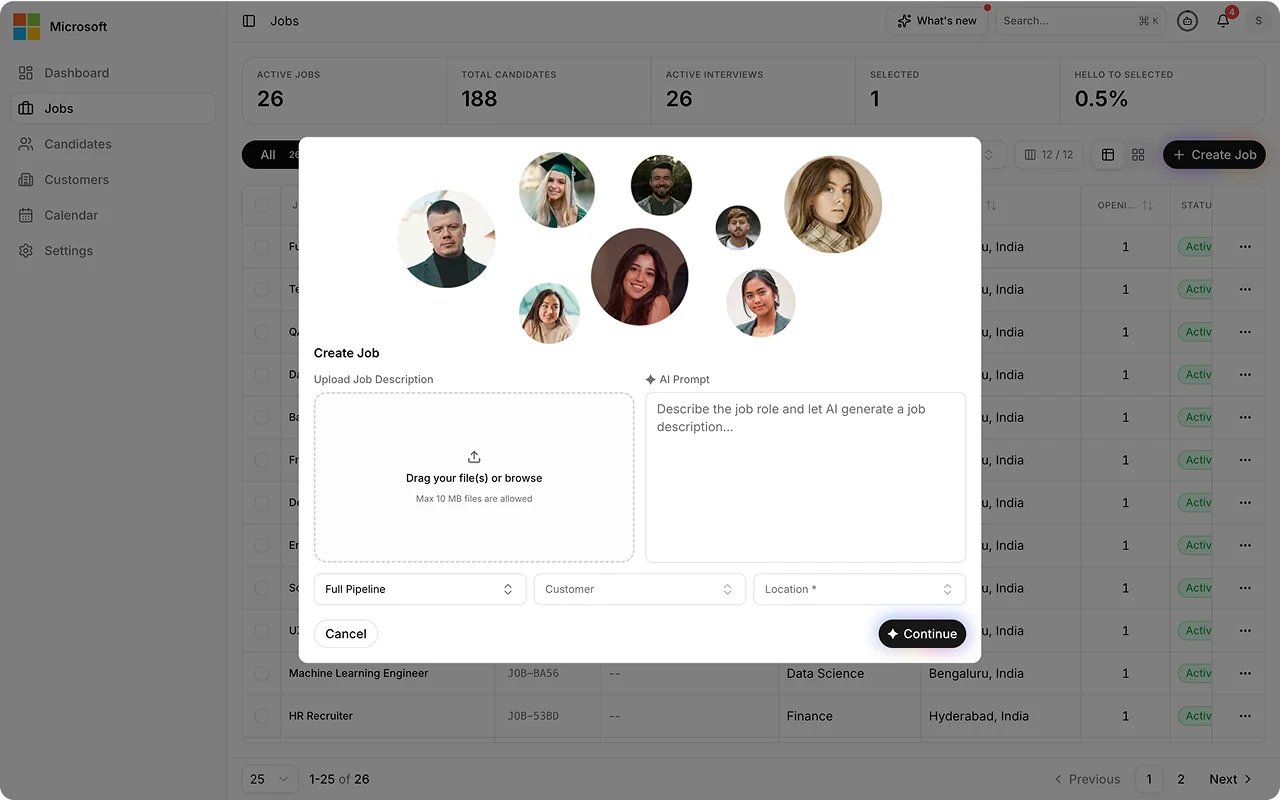
3
Add Questionnaire
Assign questions to each pipeline round. From the sidebar you can pick the interviewer persona and preview the interview as a candidate sees it, and select View Job Flow to see the pipeline as a read-only canvas: each stage and its gates and outcomes. Upcoming: rates measured from the job’s own candidates. See Design your hiring pipeline. When you select Continue, Exterview asks you to confirm, then locks the job’s scoring.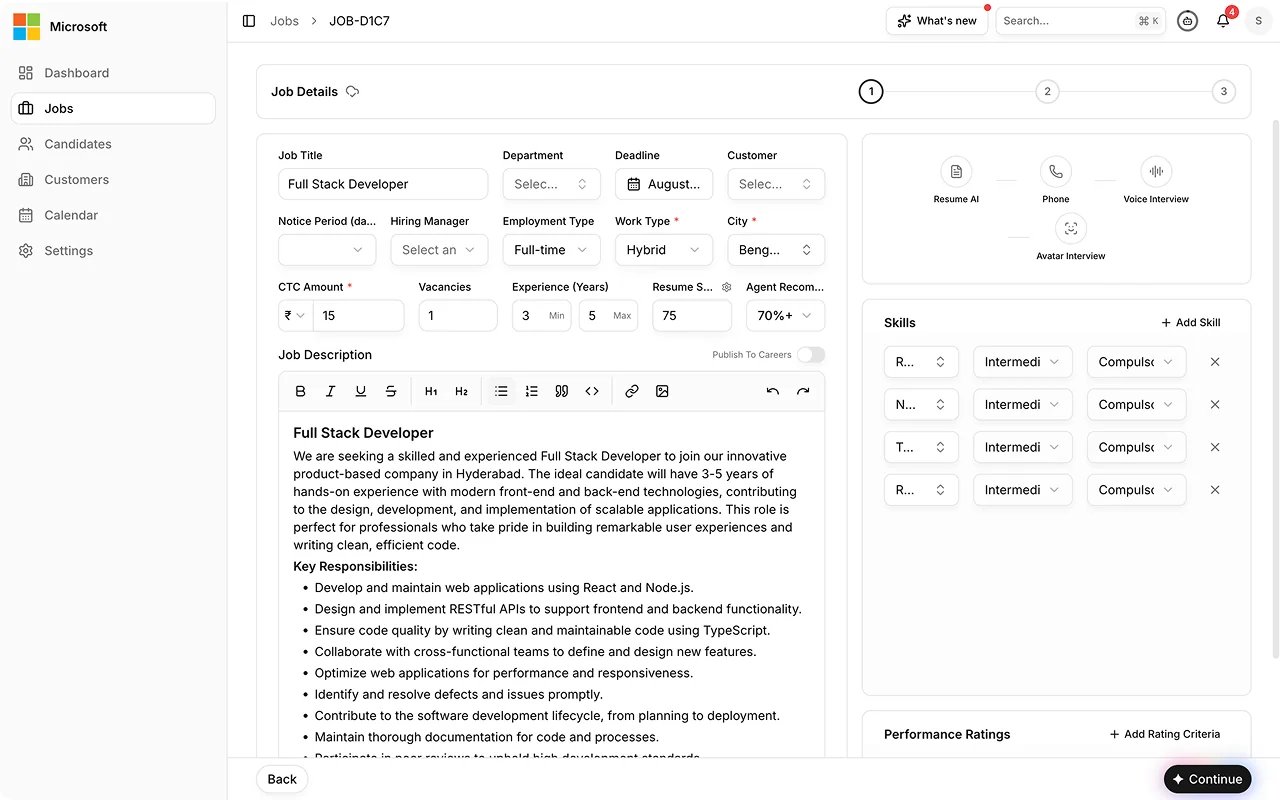
4
Add Candidates
Upload resumes now, pull candidates in from your organization’s existing pool, or skip and add them later.
5
Publish & Outreach
Publish the job so it goes live, and list it on your careers page so candidates can apply. Unpublish it later to stop taking new applicants.Upcoming: posting to external job boards, and an outreach email sequence to candidates from this step (part of Outreach Campaigns).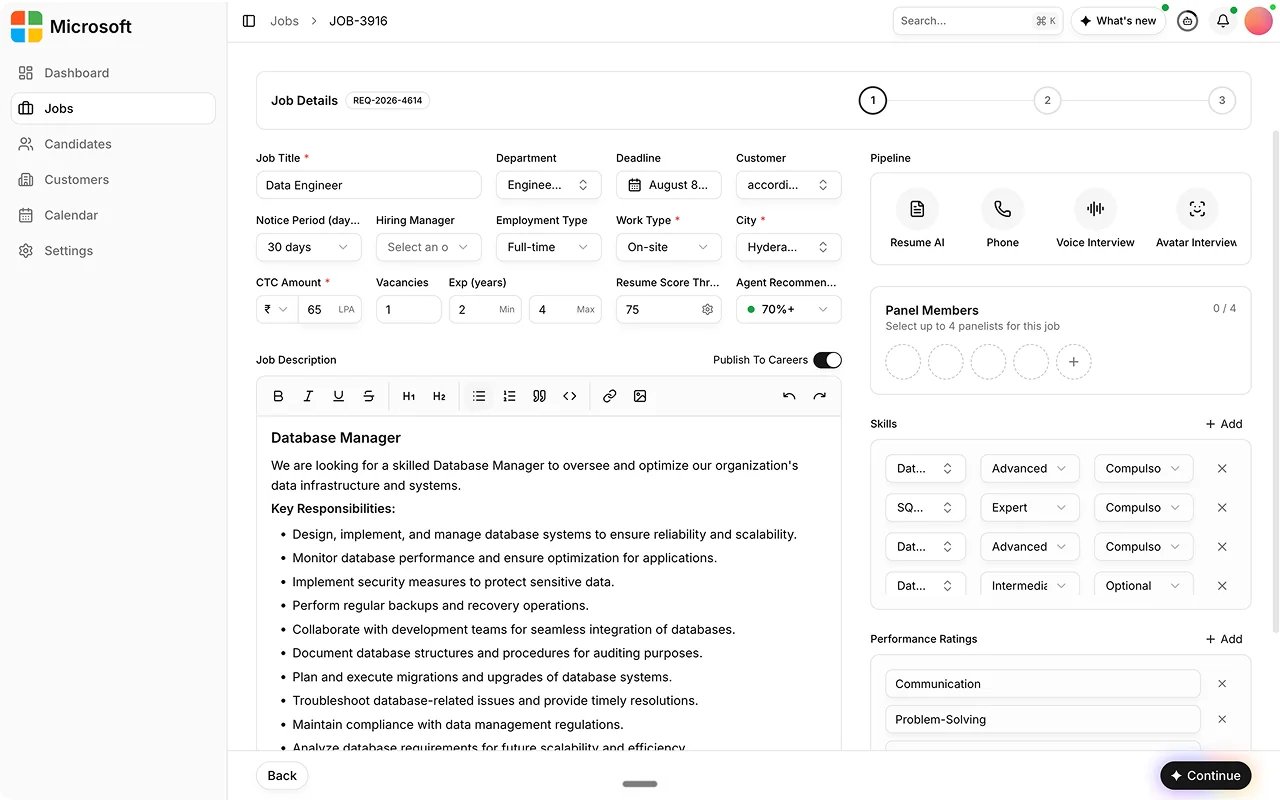
Manage jobs
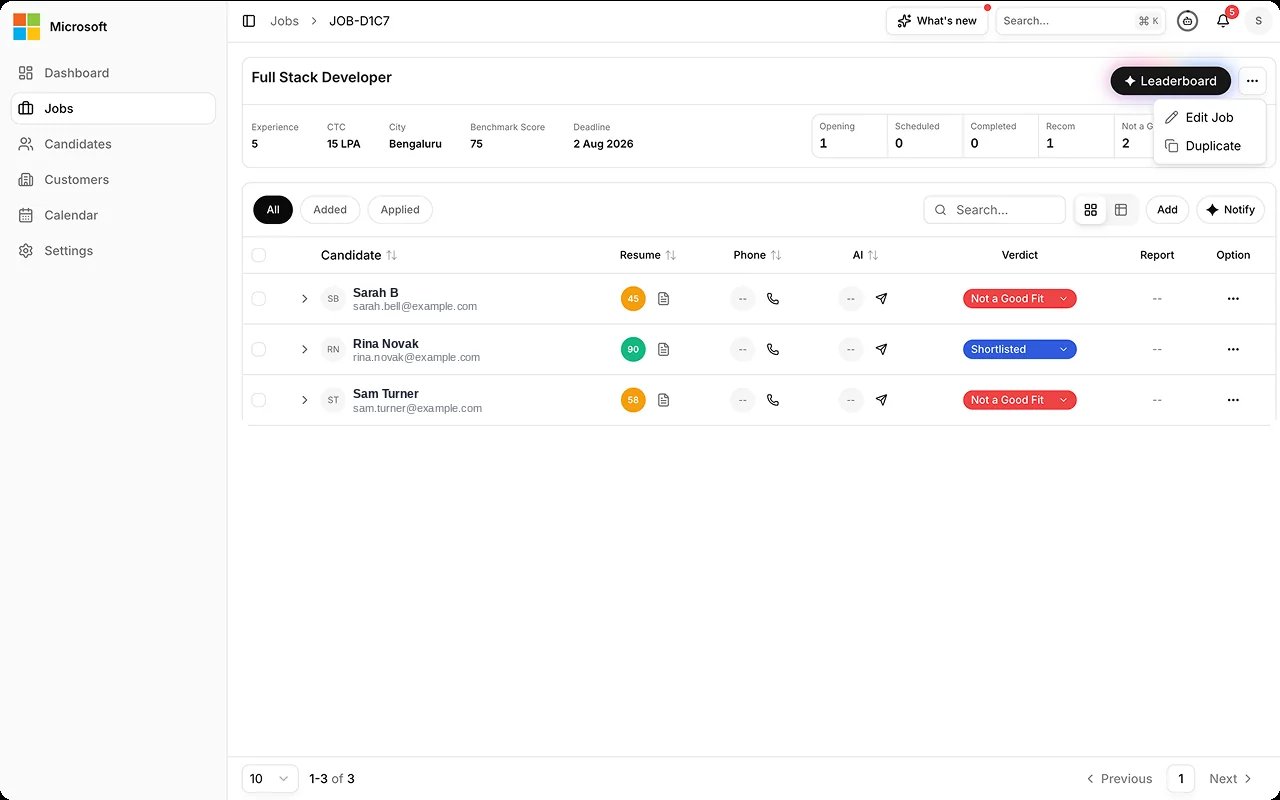
- Edit or duplicate. Continue a draft, edit a published job, or duplicate one to reuse its setup for a similar role.
- Favourite jobs. Star a job to keep it at hand, and filter the Jobs list to your favourites.
- Download the Job Config PDF. From a job’s action menu, download its full configuration, including the pipeline. Drafts carry a DRAFT watermark.
- Config freeze. The job’s configuration locks when you continue past Add Job Details, and its scoring locks when you continue past Add Questionnaire. Each lock asks you to confirm first, and neither can be unlocked afterwards, so every candidate is measured against the same setup. See Freeze the configuration contract.
- Job details views. Inside a job, switch to People Pipeline to see candidates stacked by stage, or the Video tab to browse candidate recordings. Filter candidates by decision, score, or notice status, and select several to act on them together, including bulk delete.
Best practices
Roles are what scores are measured against, so their hygiene decides whether results stay comparable. From Maintaining Data Quality.FAQs
Is this an AI feature?
Is this an AI feature?
Job management is a standard platform task. AI drafts the job’s details and questions, and runs later when candidates are evaluated against the role.
Who can manage jobs?
Who can manage jobs?
Admins, TA Managers, and Recruiters, depending on the access set in
Governance.
Why can't I change the scoring setup on a live job?
Why can't I change the scoring setup on a live job?
The scoring setup locked when you continued past Add Questionnaire, and it
cannot be unlocked. The config freeze keeps candidates comparable. If one
candidate were scored against different criteria from the next, their scores
could not be ranked together.
Can I post the job to LinkedIn or Indeed from Exterview?
Can I post the job to LinkedIn or Indeed from Exterview?
Not today. Job-board posting is Upcoming. Today you publish to your careers page.