

Before you start
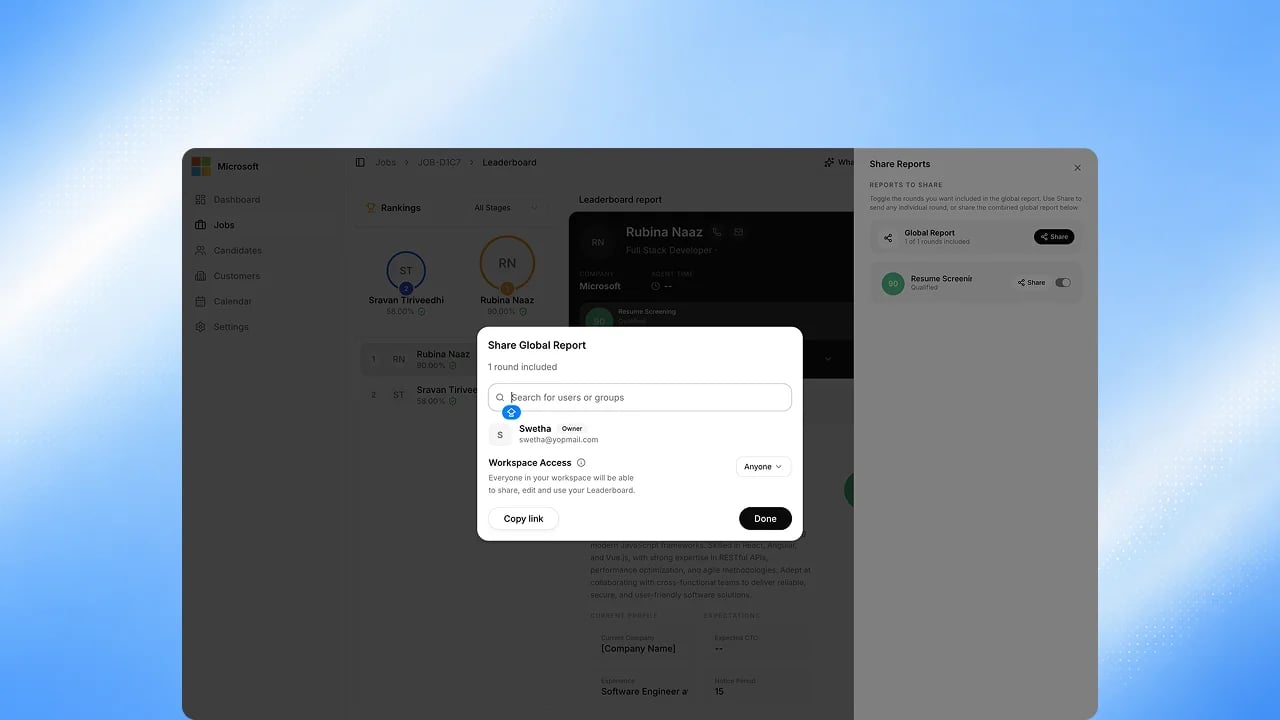
You need view access to the report. You can share from a candidate’s Unified Report or from the Leaderboard.Steps
1
Open Share on a report
From a candidate’s Unified Report, click Share. On a report with several
rounds, you can share the whole report or just one round.
2
Add people or set link access
Search your organization’s directory to add specific people as a Viewer
or an Editor, or open Workspace Access to choose Restricted (only
invited people), your organization, or anyone with the link.
3
Copy the link, or save
Copy Link generates a link on the spot. Done saves the people and access
setting you chose.
4
The recipient opens it
Workspace and public links open the report directly. A Restricted link
asks the recipient to verify their email with a one-time code first.
5
If they don't have access
Someone who opens a Restricted link without permission sees an access
denied screen with a Request Access button. Clicking it opens an email
to Exterview sales. It doesn’t notify the report owner directly, and
the confirmation screen only shows that the email client opened, not
that the message was delivered.
FAQs
What's the difference between Viewer and Editor?
What's the difference between Viewer and Editor?
A Viewer can view and download the report. An Editor can also add notes and
re-share it.
Related
- Unified Report. What each report contains.
- Search and Data Export. Filter and export candidates, and export your Activity Log.