

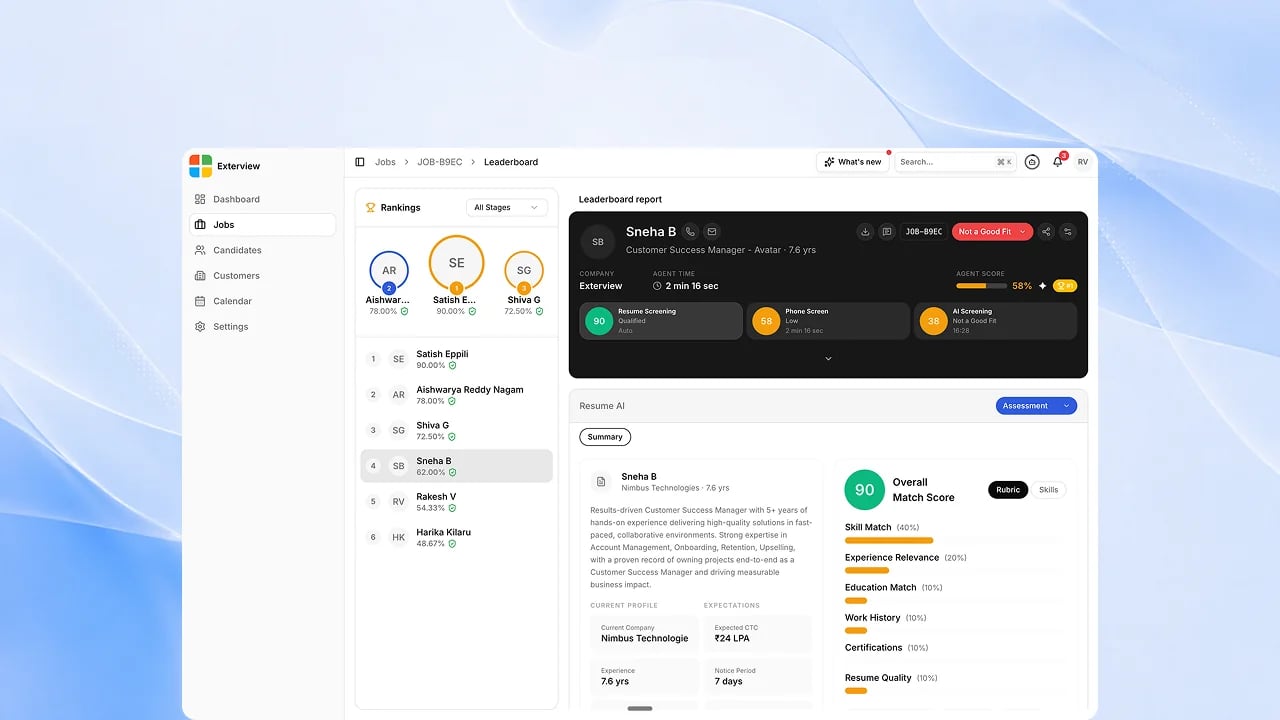
Before you start
The job needs at least one candidate with a completed channel.Steps
1
Open the Leaderboard for a job
See every candidate ranked across all rounds.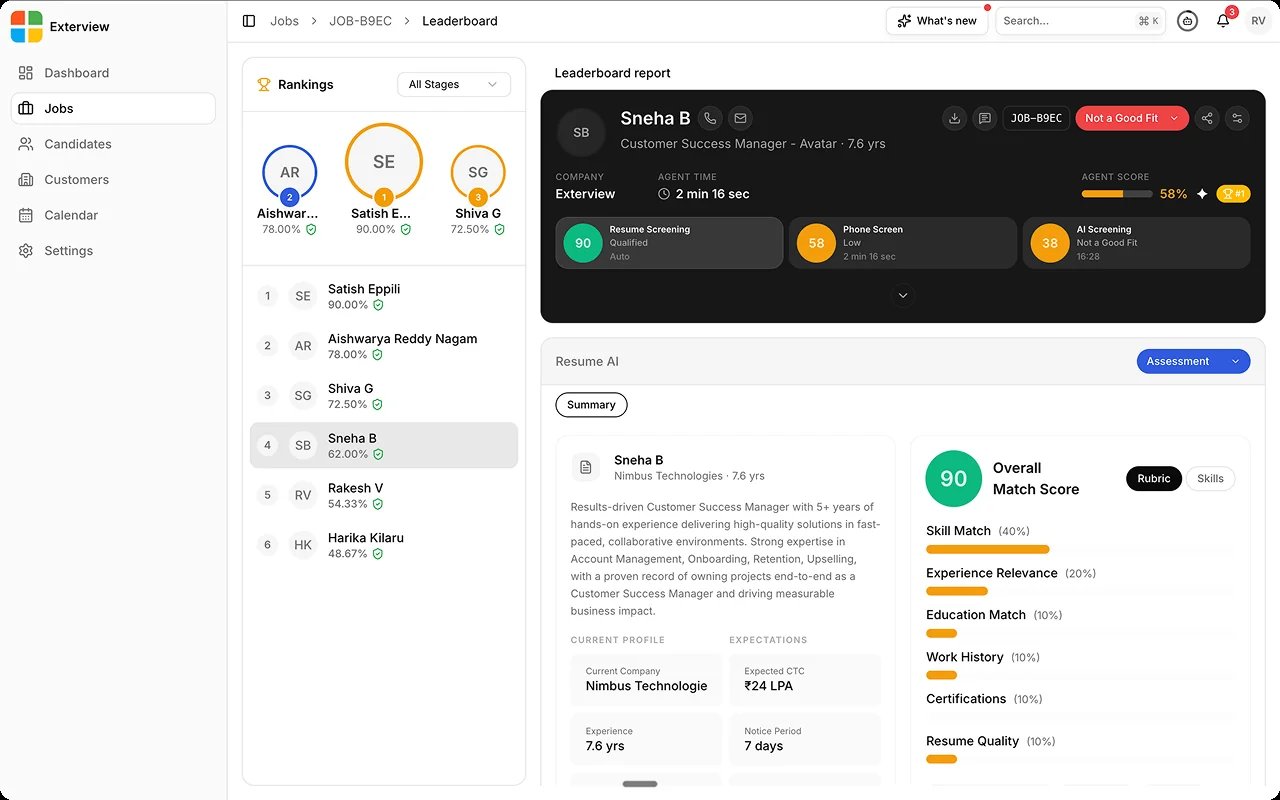
2
Filter by stage
Narrow the ranking to one interview stage (AI Screening, Phone, Voice, or Avatar Interview) or leave it on all stages combined.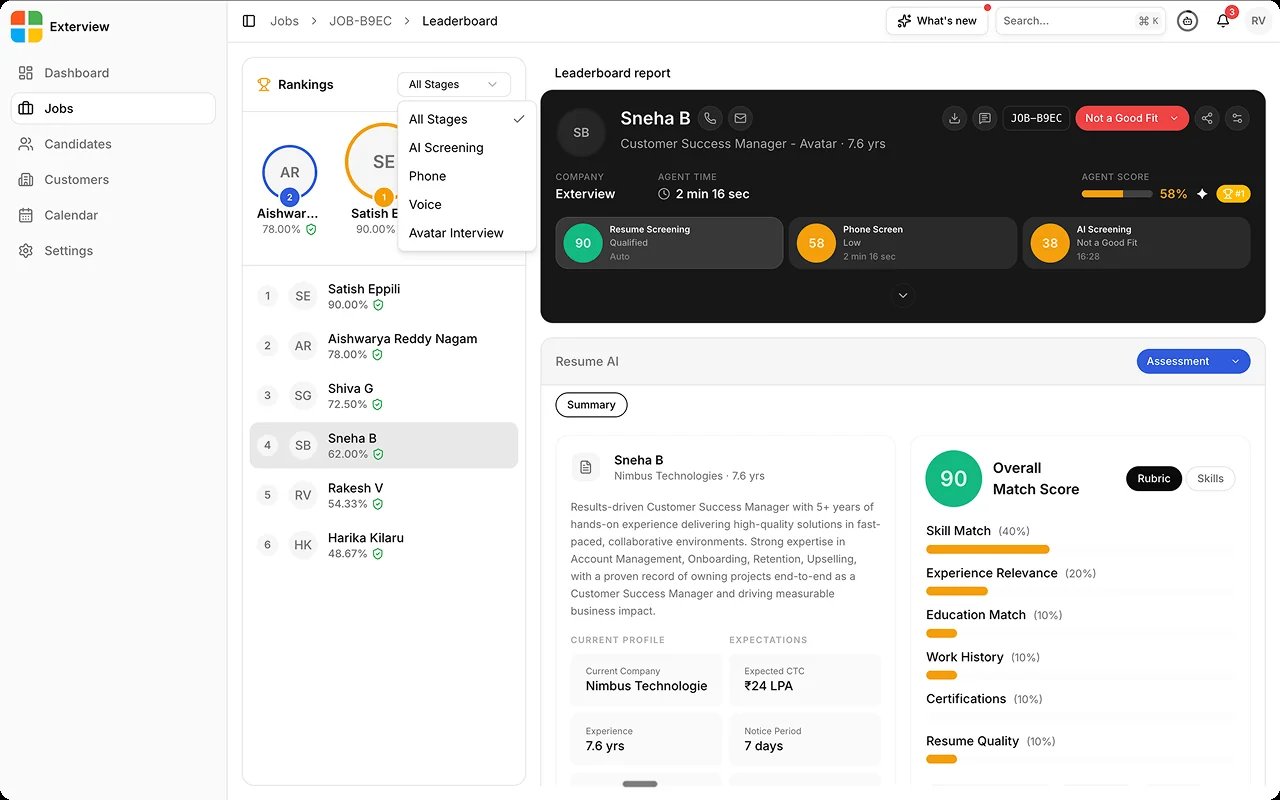
3
Open a candidate's report
Select anyone from the podium or the ranked list to load their full
report next to the rankings, without leaving the leaderboard.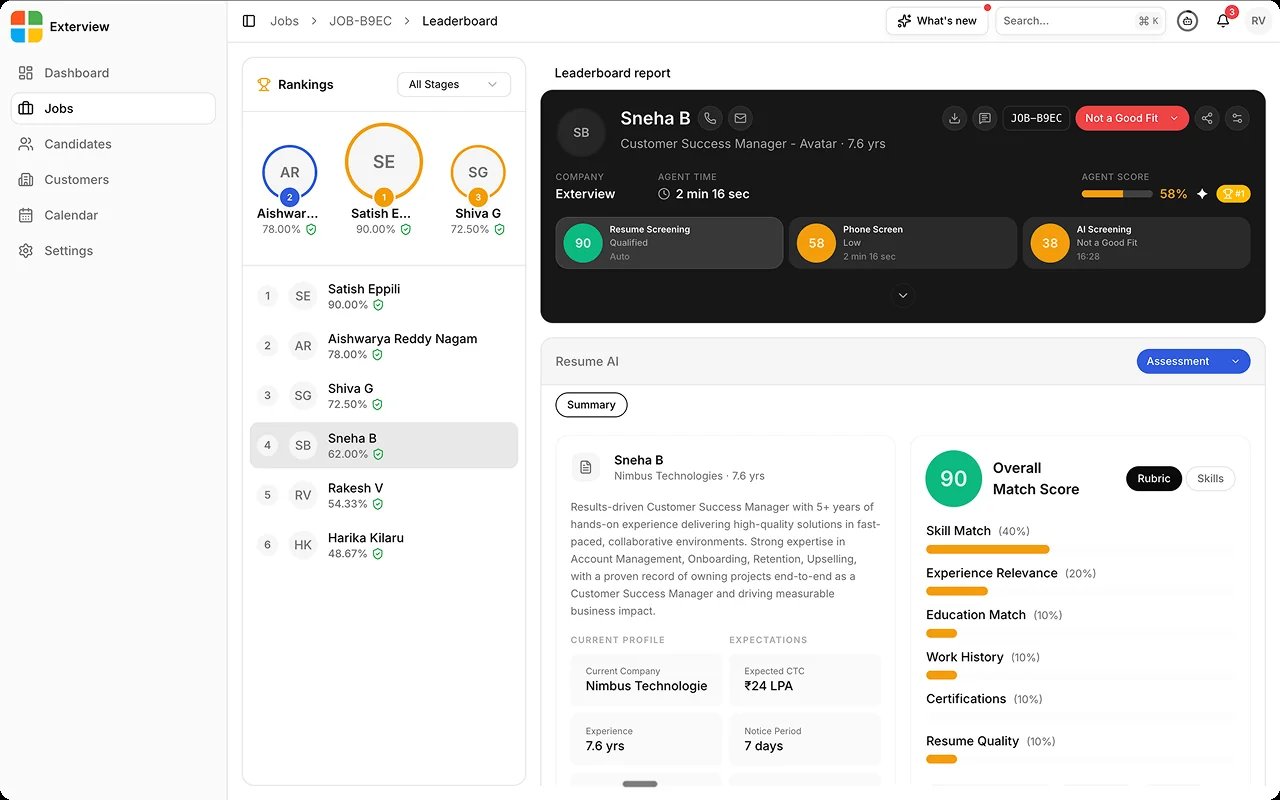
4
Override a round or overall decision
Override the AI’s read for one round, or overall, with a written
justification. The original score stays on record.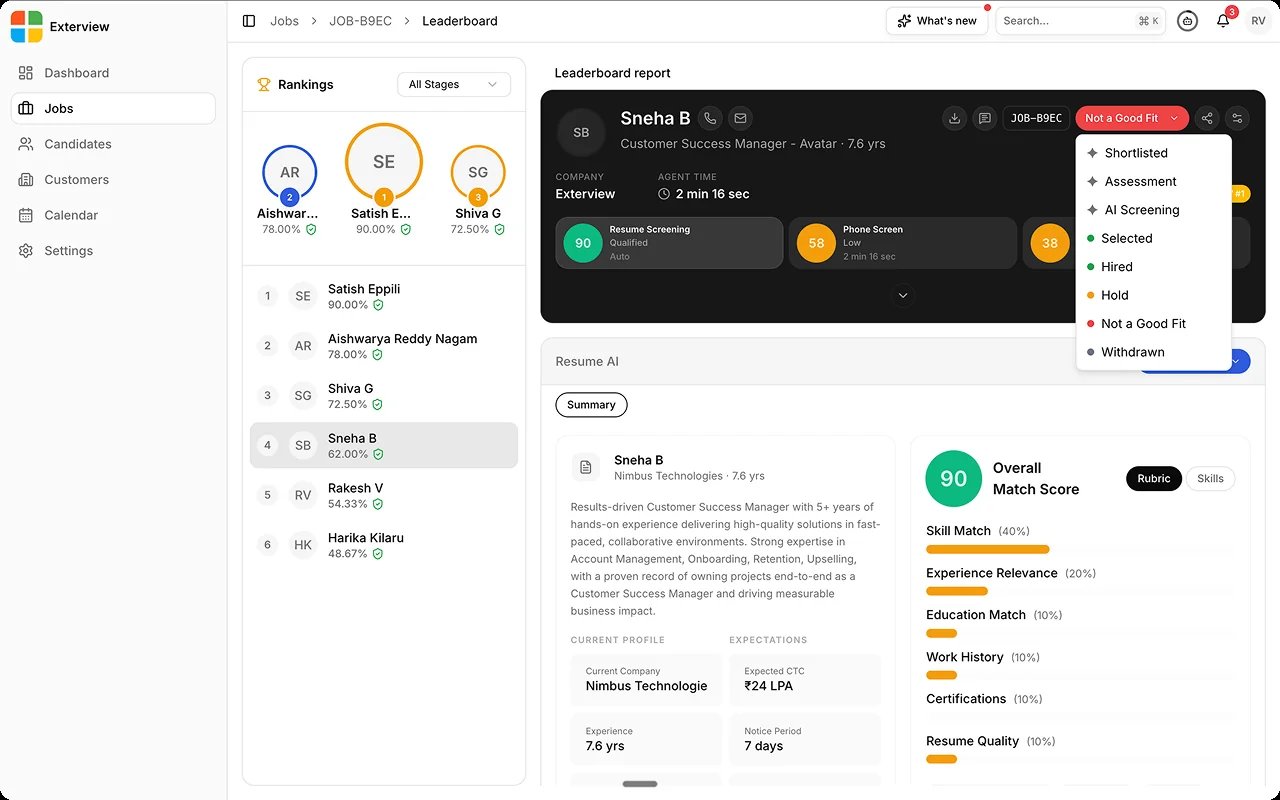
5
Share a candidate's report
Share the report you’re viewing straight from the leaderboard. See
Share a Report.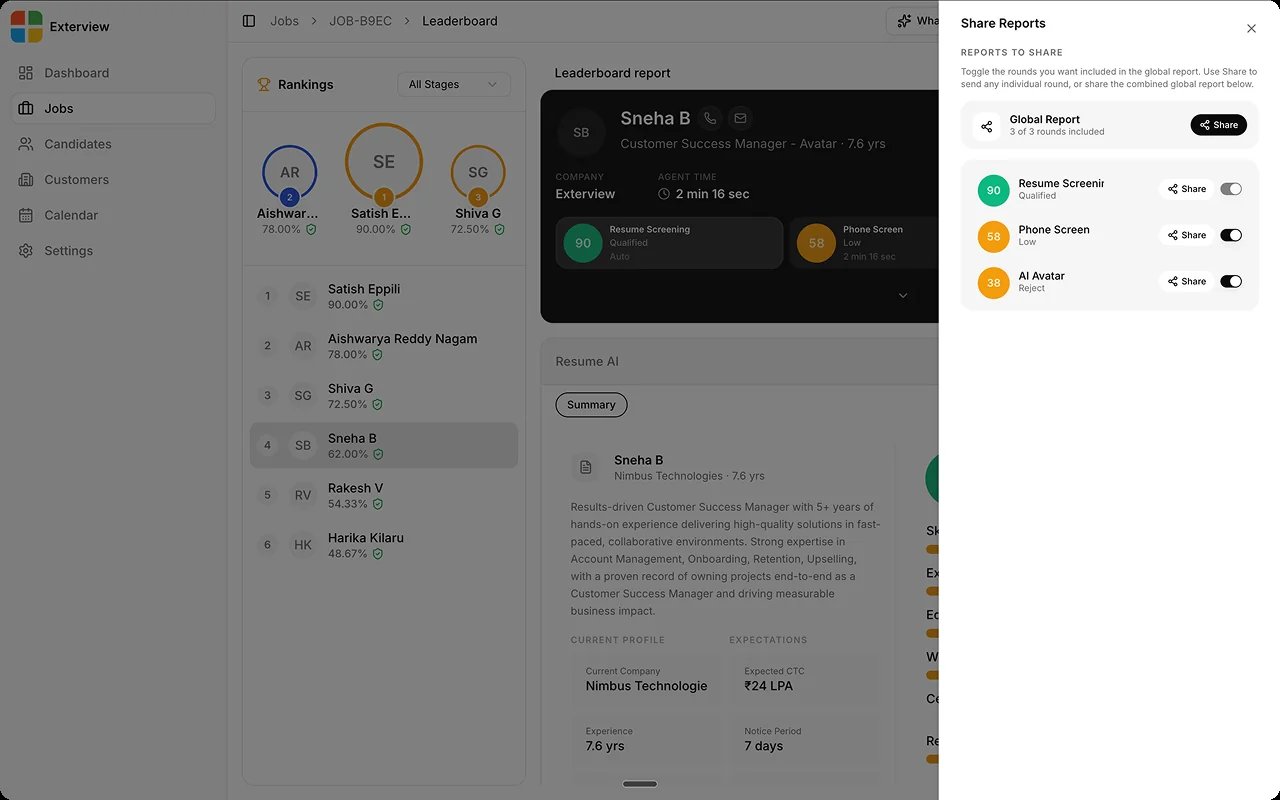
Best practices
The leaderboard rolls up each candidate’s scored rounds, per job.FAQs
Where do these rankings come from?
Where do these rankings come from?
From each candidate’s scored rounds: resume, phone, voice, avatar, and
the panel and HR rounds scored through EX Rank, rolled
up per job.
What's coming next?
What's coming next?
Upcoming: Leaderboard V2, a six-channel view that compares candidates side
by side.