

Before you start
You need a job to score against. See Create and manage jobs. For a full run-through, see Running EX Scan.Steps
1
Add a resume
Upload resumes (PDF or DOCX) on the Candidates page or inside a job, or let
them arrive from your careers page. Exterview flags
files that aren’t resumes or are already in the system.
2
EX Scan reads and structures it
The resume is parsed into the same structure every time: experience, skills,
and the other fields in the candidate record.
3
Review the candidate record
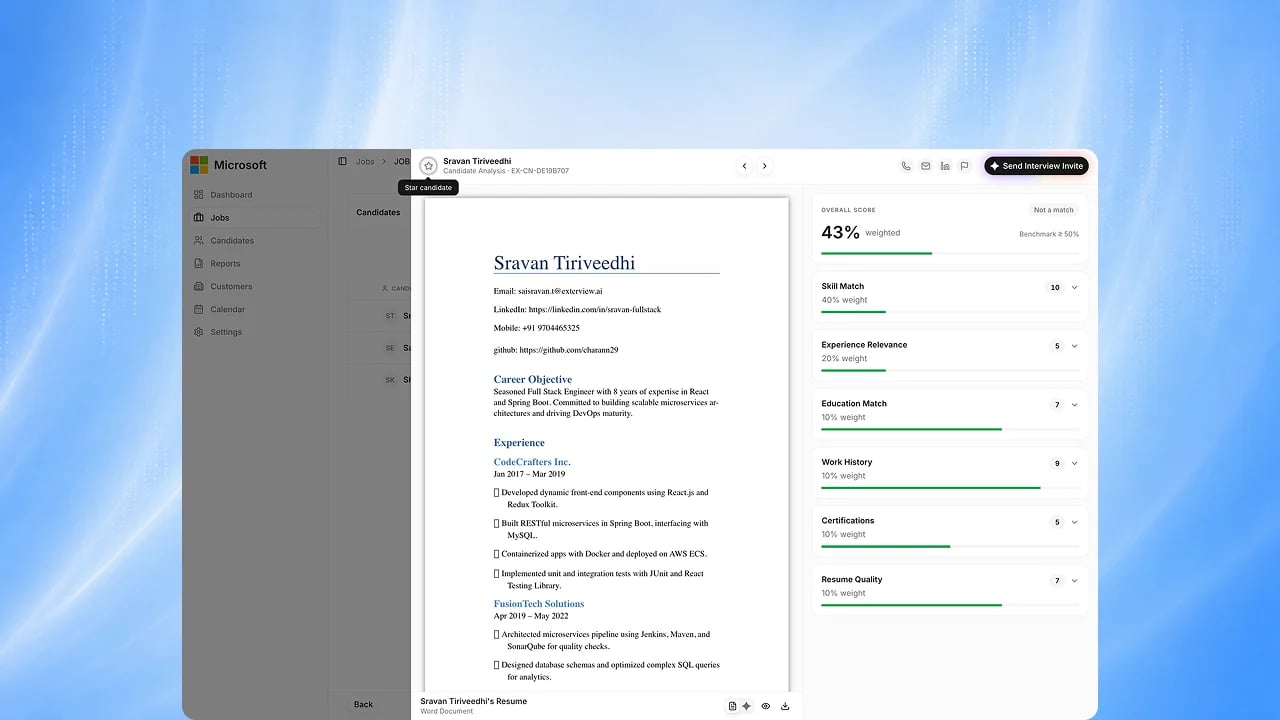
Open the candidate to check what was extracted, and open their resume to see
the score breakdown against the role.
4
Match and screen from the record
EX Match scores the structured record
against the role and explains why, and later rounds read from the same
record.
Best practices
Structured data is only as good as the resume behind it. From Maintaining Data Quality.FAQs
Which file formats are supported?
Which file formats are supported?
PDF and DOCX.
Does EX Scan decide who moves forward?
Does EX Scan decide who moves forward?
No. It structures and scores the resume. A person reviews the candidate and
records the decision.
Will every resume look the same?
Will every resume look the same?
Every resume is structured into the same fields in the candidate record. Upcoming: one canonical single-format resume render across every source.