

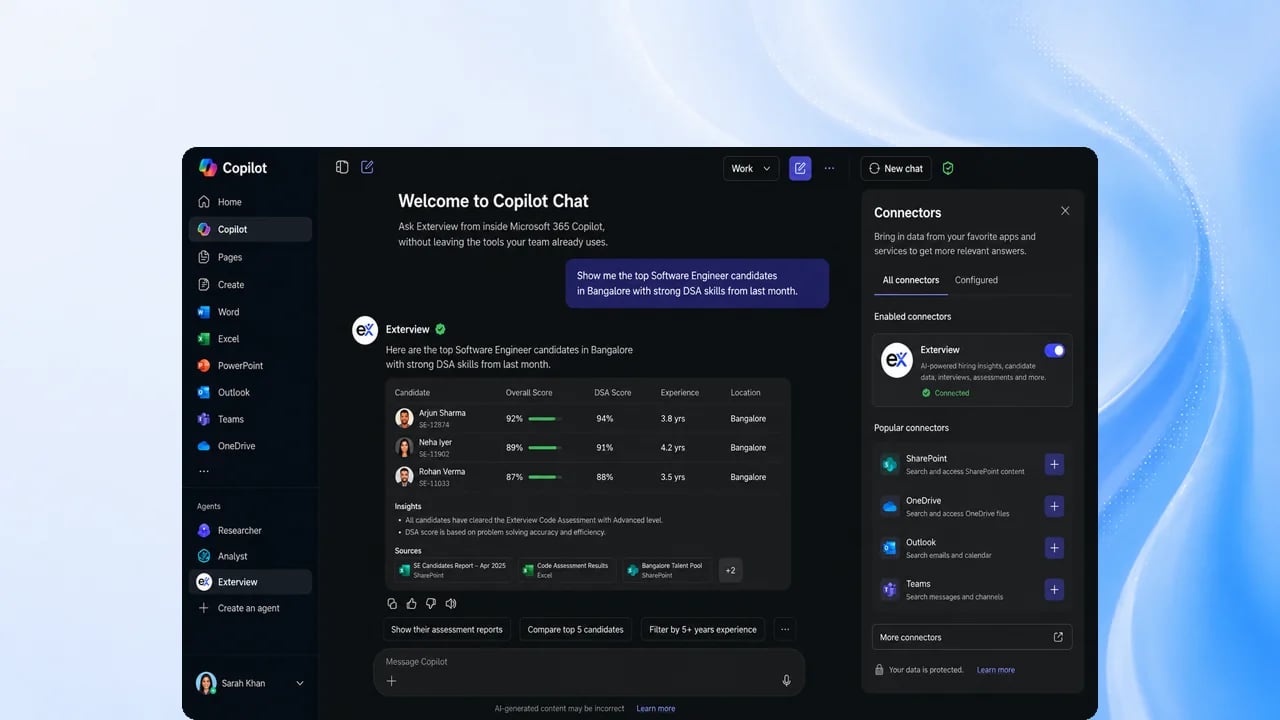
Before you start
Your administrator connects Microsoft 365 Copilot to the Exterview MCP server. See Connected Agent Access.Steps
1
Sign in with Microsoft
The first time you use Exterview from Copilot, sign in with your Microsoft
account and approve the access Copilot asks for.
2
Ask from Copilot
Ask about jobs, candidates, pipelines, reports, and the leaderboard for a
role.
3
Get an answer within your access
Answers come from your organization’s Exterview data, limited to what you
can see in the app.
4
Confirm any change
If you granted write access, Copilot can make changes, such as updating a
candidate’s stage. Every change asks you to confirm first, and adverse ones
show a preview. Nothing can be deleted this way.
FAQs
Is there an Exterview app in Microsoft Teams?
Is there an Exterview app in Microsoft Teams?
Can I hand a whole role to Exterview from Copilot?
Can I hand a whole role to Exterview from Copilot?
Not today. Handing a role to Exterview to run end to end is Upcoming. Today
you can ask questions and make confirmed changes one at a time.
Can Copilot reject a candidate?
Can Copilot reject a candidate?
No. Hiring decisions stay with a person, and adverse actions always ask you to confirm.