

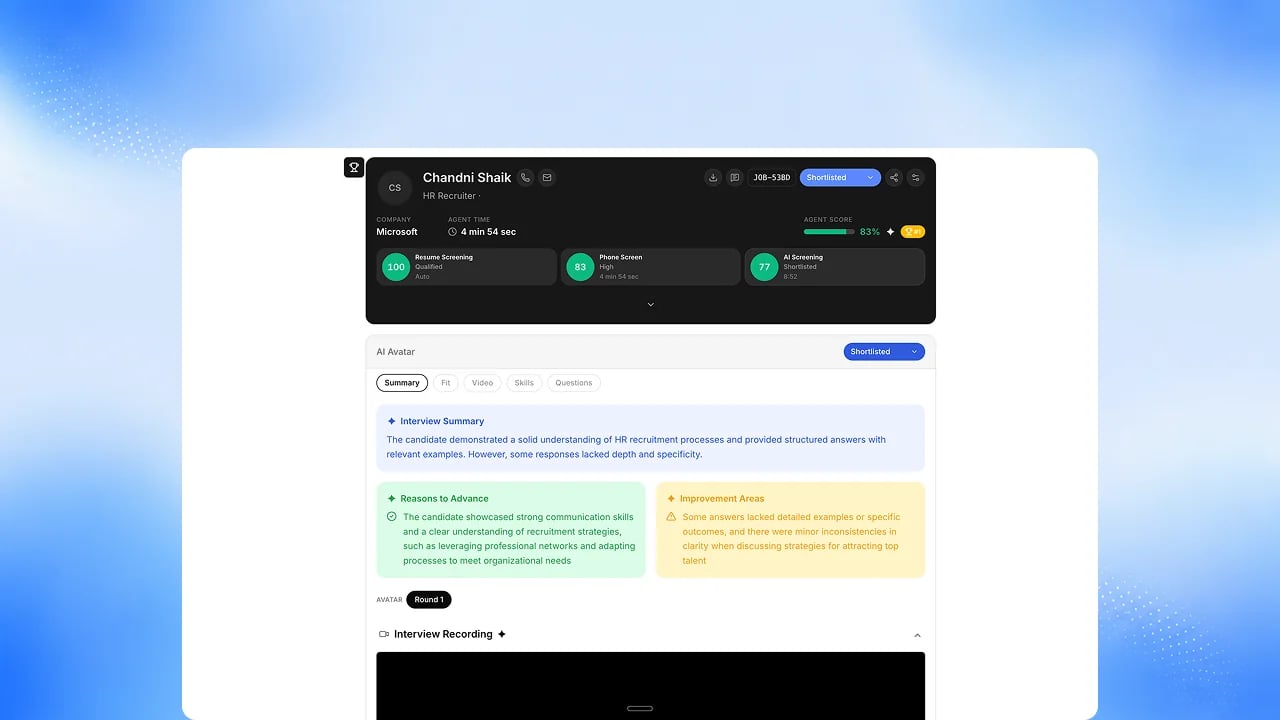
Before you start
The candidate needs at least one completed channel (resume, phone, voice, or avatar).Steps
1
Open a candidate's Unified Report
Find it from the candidate’s profile or the job’s leaderboard.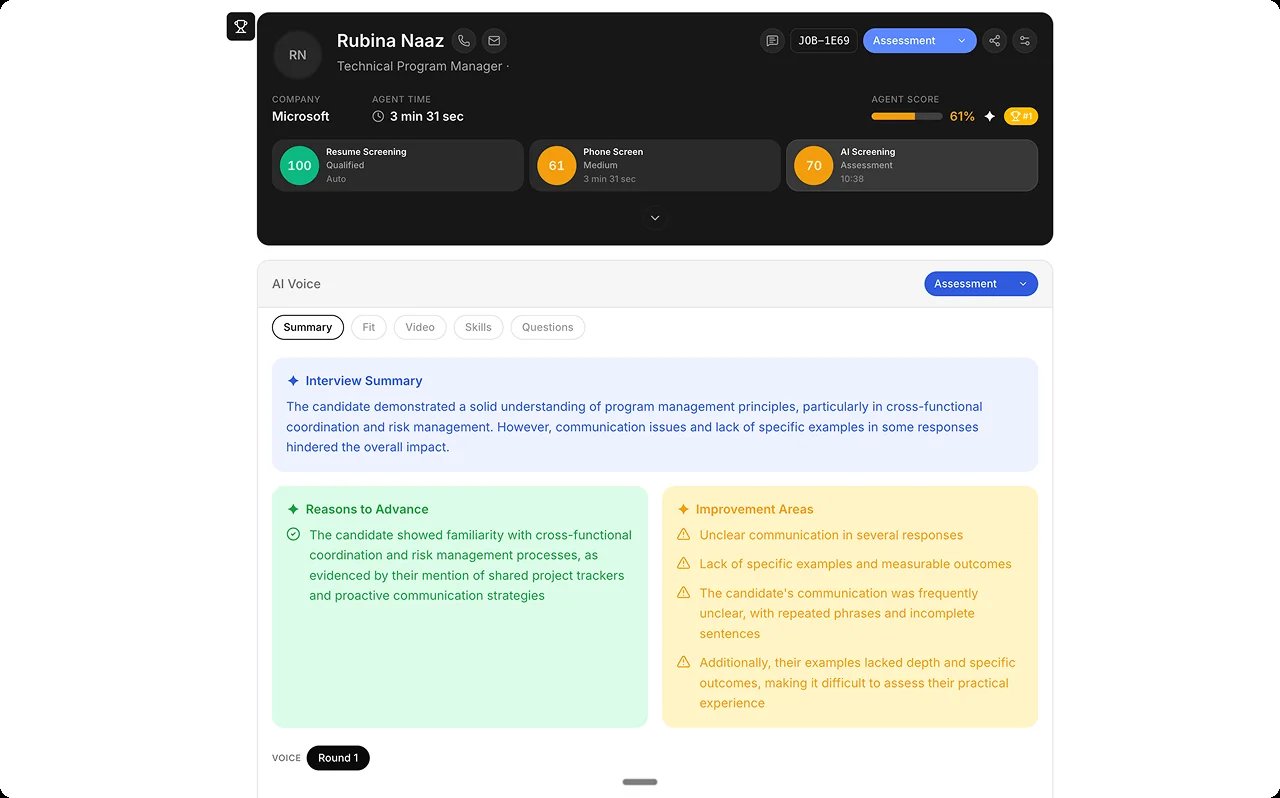
2
Review per-channel scorecards
See resume, phone, voice, and avatar signals stacked in one place. Panel
and HR rounds keep their own round reports today.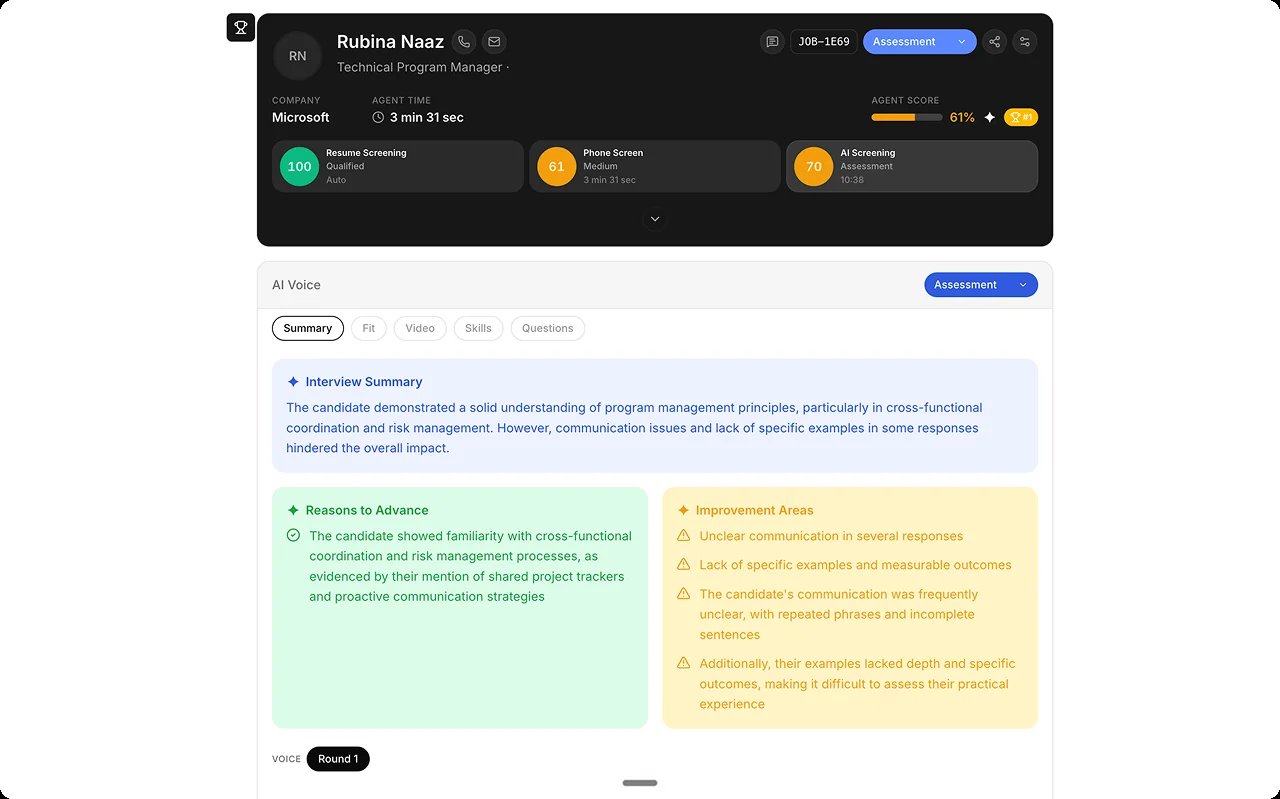
3
Read the AI's justification
See the reasoning behind the AI’s hire/no-hire read.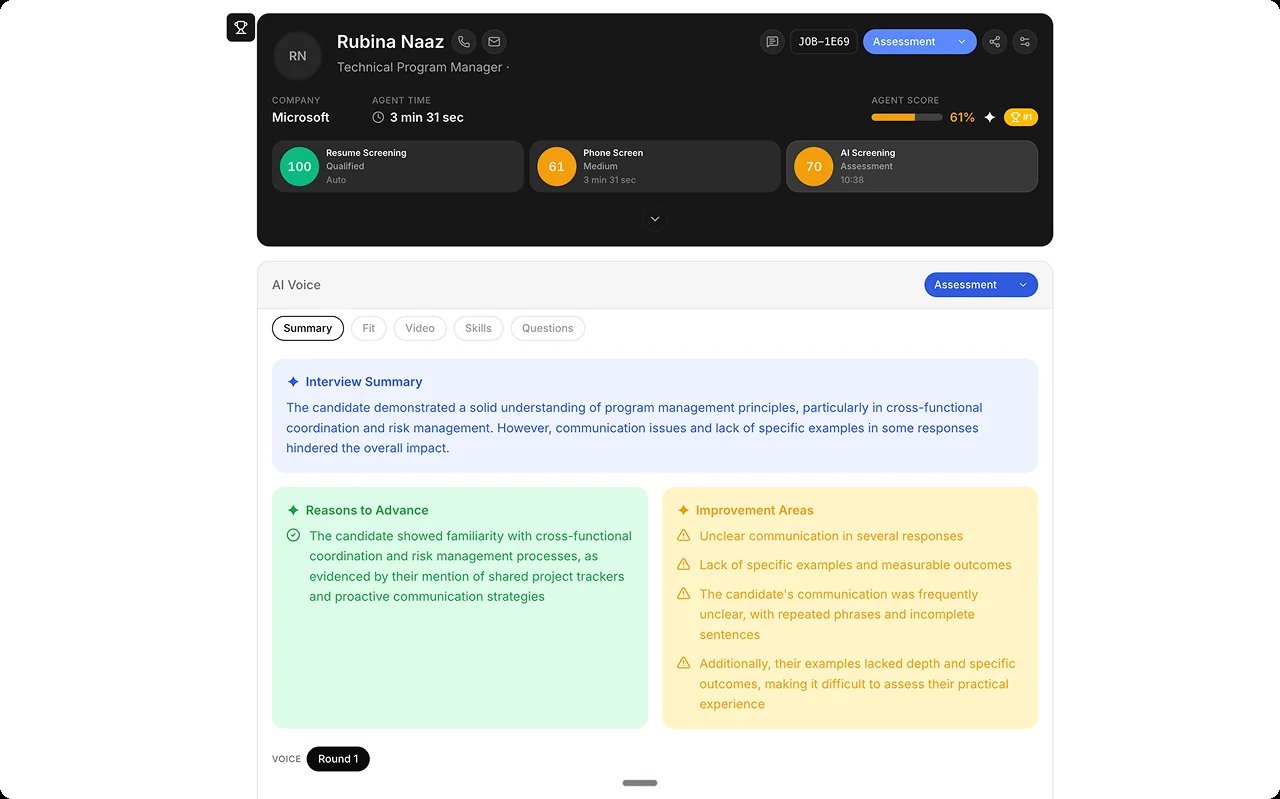
4
Override if needed
Override the AI’s score with a written justification. The original score
and your override both stay on record, and the decision on the candidate
is always a person’s.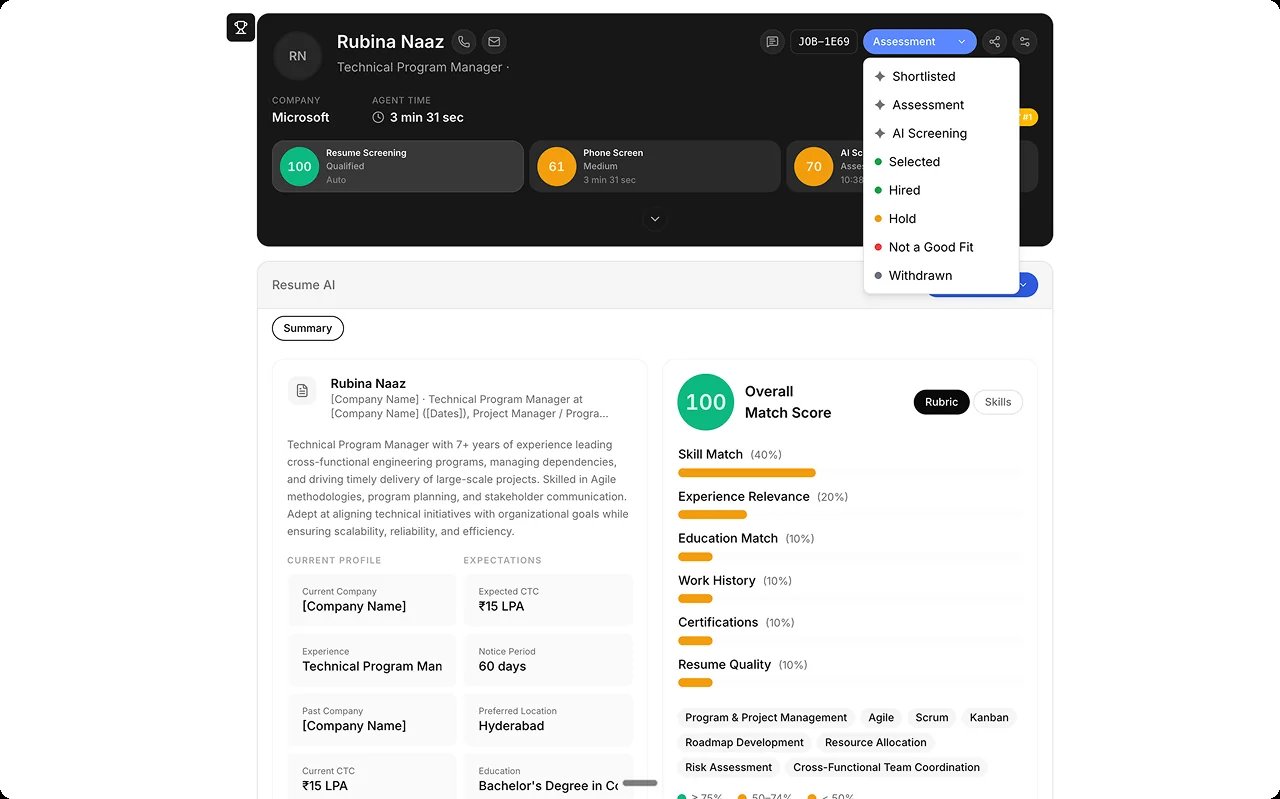
5
Export or share
Download as PDF, or share it conditionally.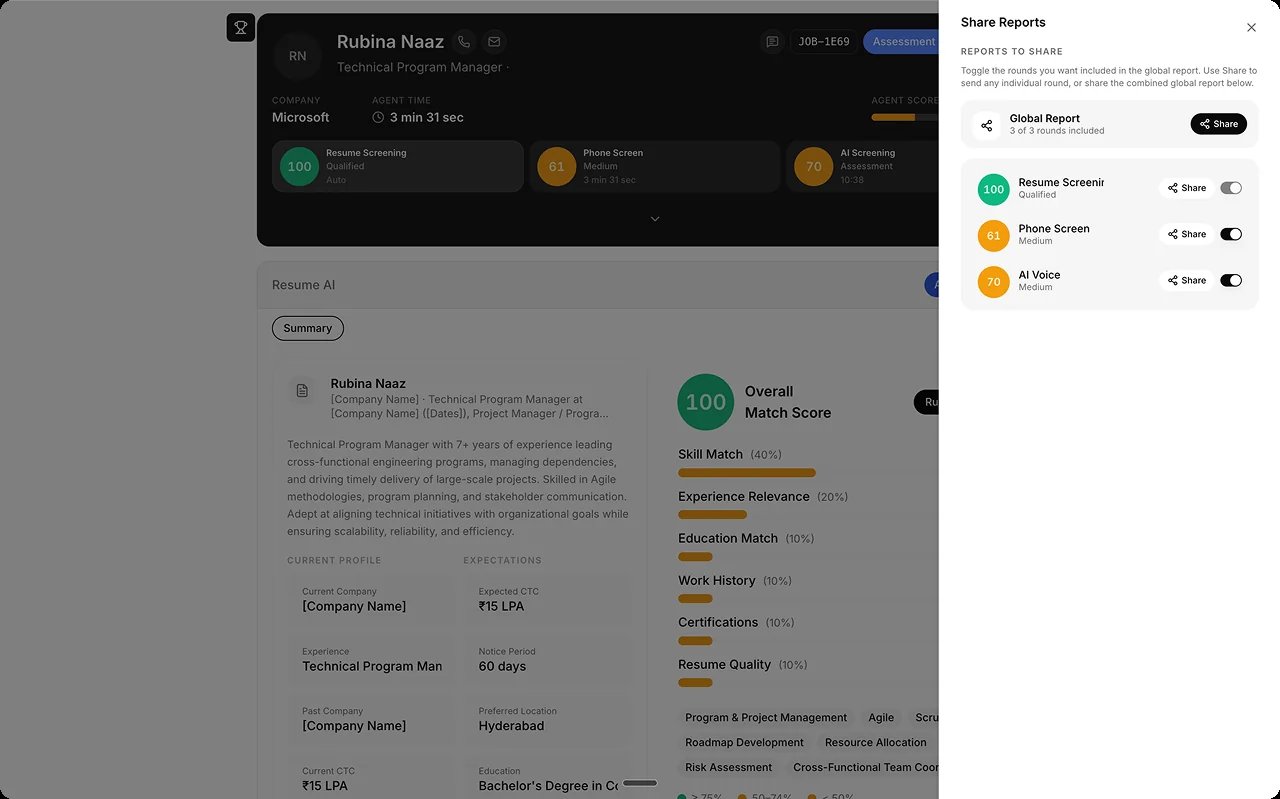
Best practices
Every evaluation step is configured as a gate or a signal, and getting that split right is what keeps a pipeline both fair and efficient. From Human Review.FAQs
Is this an AI feature?
Is this an AI feature?
The signals come from AI agents. This page is the human review surface for them.
Are panel and HR rounds in the unified report?
Are panel and HR rounds in the unified report?
Not inside it. Panel and HR rounds have their own round reports, and their
scores already feed the candidate’s rank on the
Leaderboard. Upcoming: panel and HR-round
slices inside the unified report.